Add DNS records at Salla
These are the steps for Salla. For what the records do and how to check the setup afterwards, see Subdomain setup.
Salla’s DNS Management section does not offer NS as a record type, so CNAME is the only record you can add here. Datahash gives you the value.
NS records
Section titled “NS records”The subdomain cannot be delegated from Salla, because there is no NS option in the record type list. If Datahash has asked you for NS records, say so before you start. Either the subdomain is switched to a CNAME, or DNS for the domain moves to a provider that accepts NS records.
Adding a CNAME record
Section titled “Adding a CNAME record”-
Sign in to your Salla account.
-
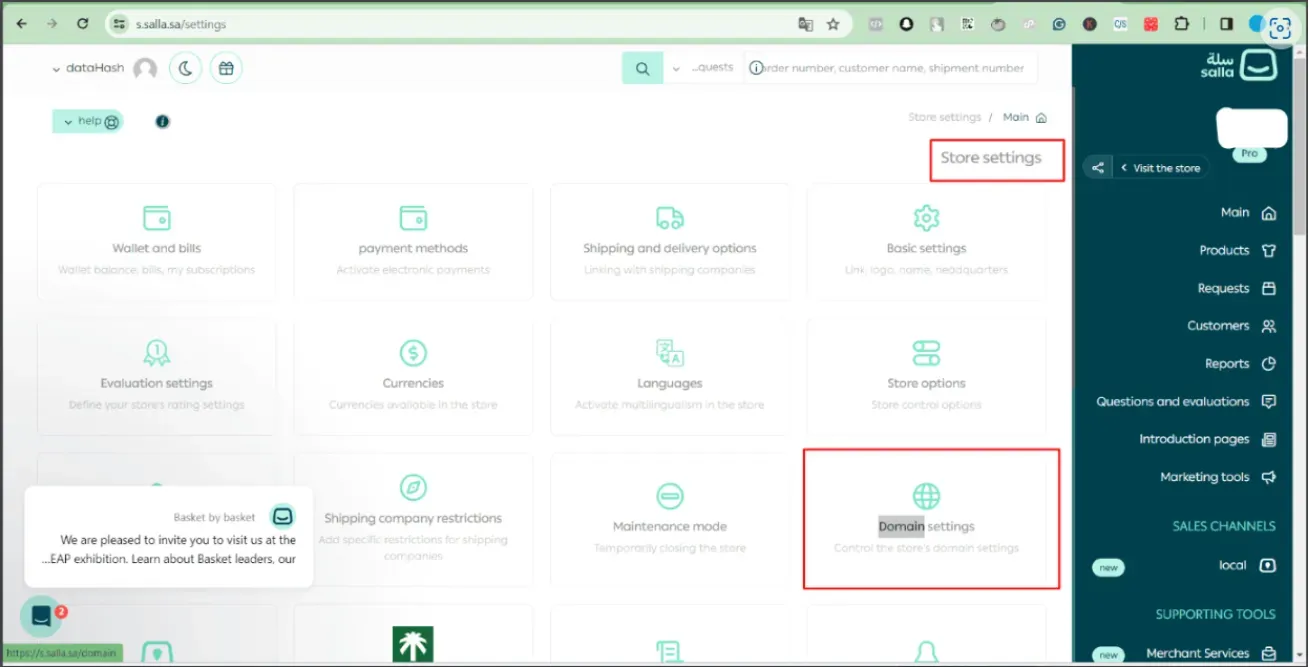
Click Store Setting in the navigation on the right.
-
Open Domain settings.
-
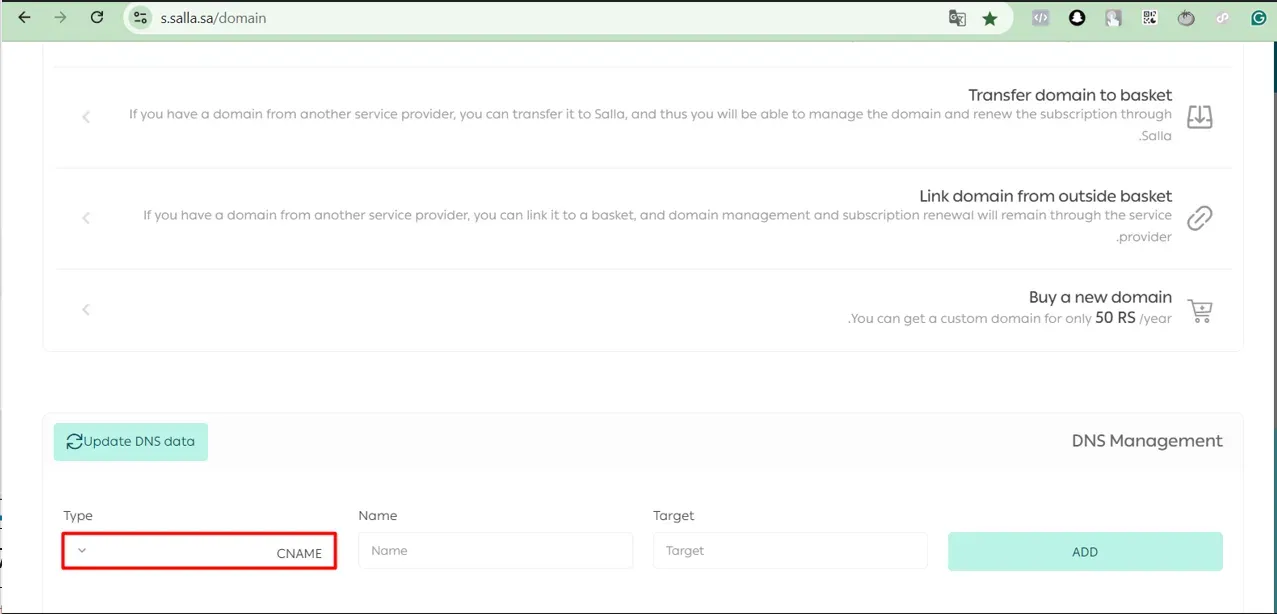
In the DNS Management section, choose CNAME as the record type and enter the record name and the value you were given.
-
Click Add, then Update DNS data.
The record only reaches Salla’s nameservers once you click Update DNS data.
CNAME record walkthrough2 screenshots
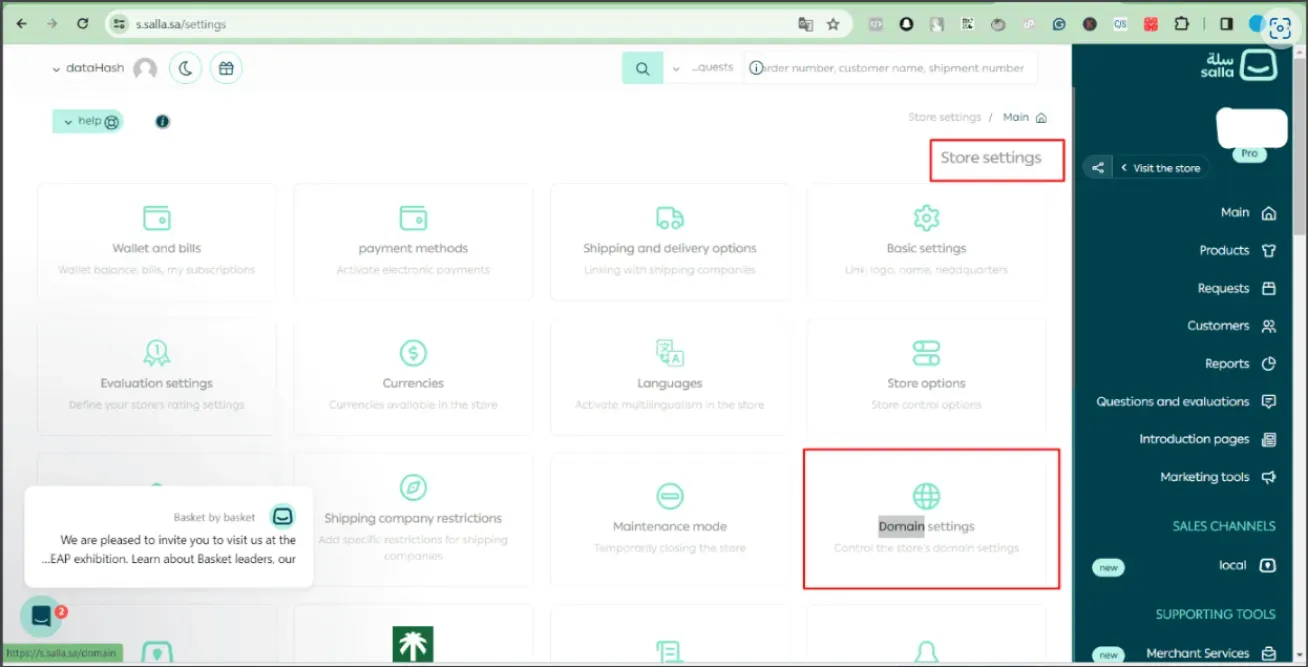
The Store settings grid, with Store settings boxed at top right and Domain settings boxed among the tiles. 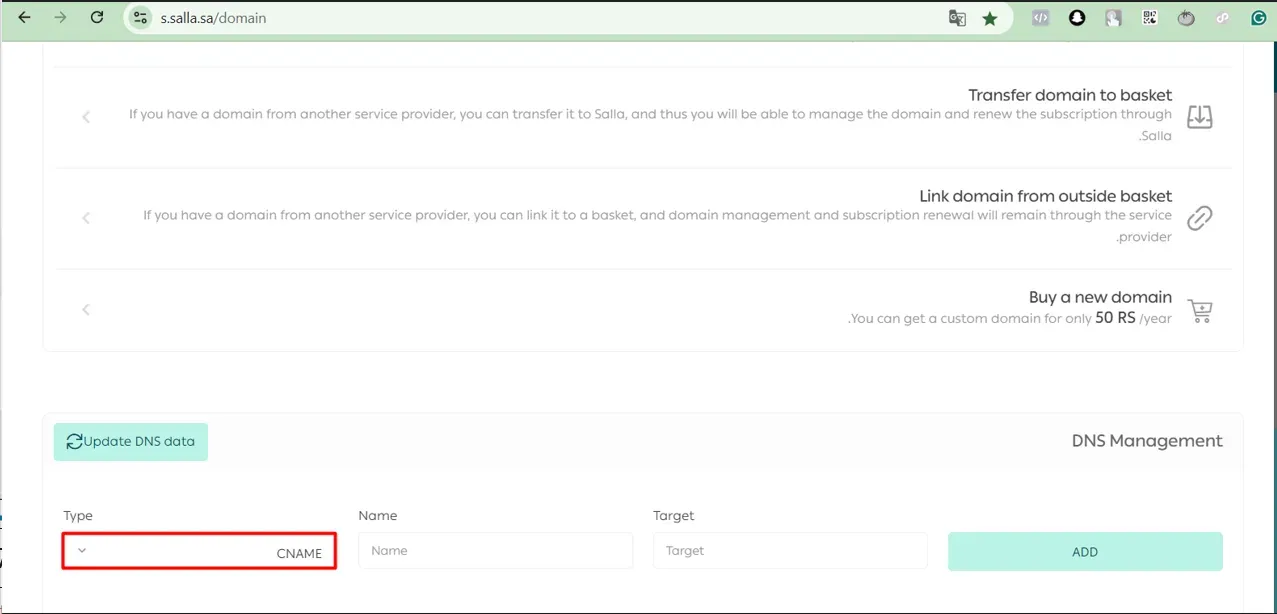
The DNS Management section on the Domain page, with the Type dropdown boxed showing CNAME as the default record type.