

Add DNS records at Alibaba Cloud
These are the steps for Alibaba Cloud. For what the records do and how to check the setup afterwards, see Subdomain setup.
Datahash tells you which record type to use and gives you the values. Follow the matching section below and enter the values you were given.
Both record types start the same way in Alibaba Cloud, so these screenshots cover either one.
Getting to the DNS records panel5 screenshots
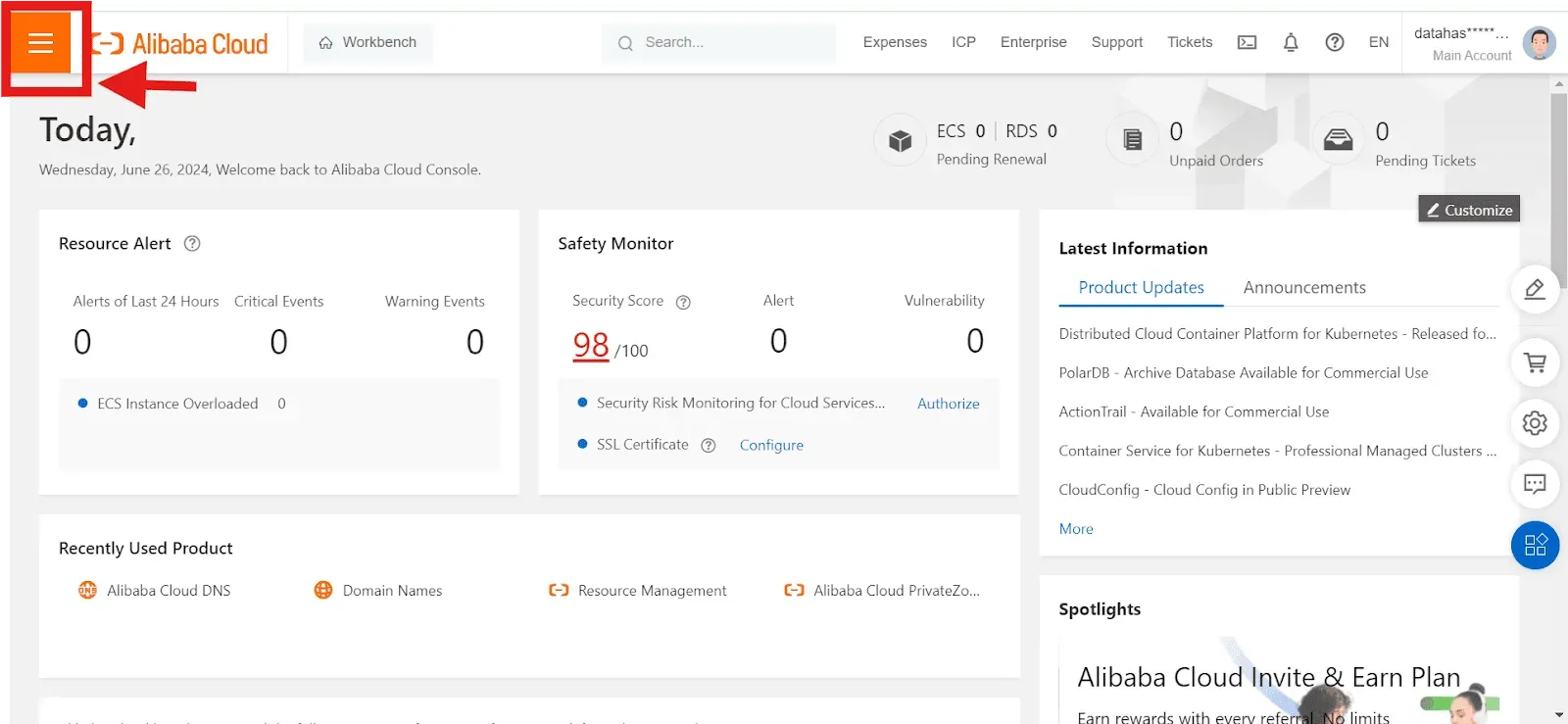
The Alibaba Cloud console home page, with the navigation menu icon at the top left circled and an arrow pointing to it. 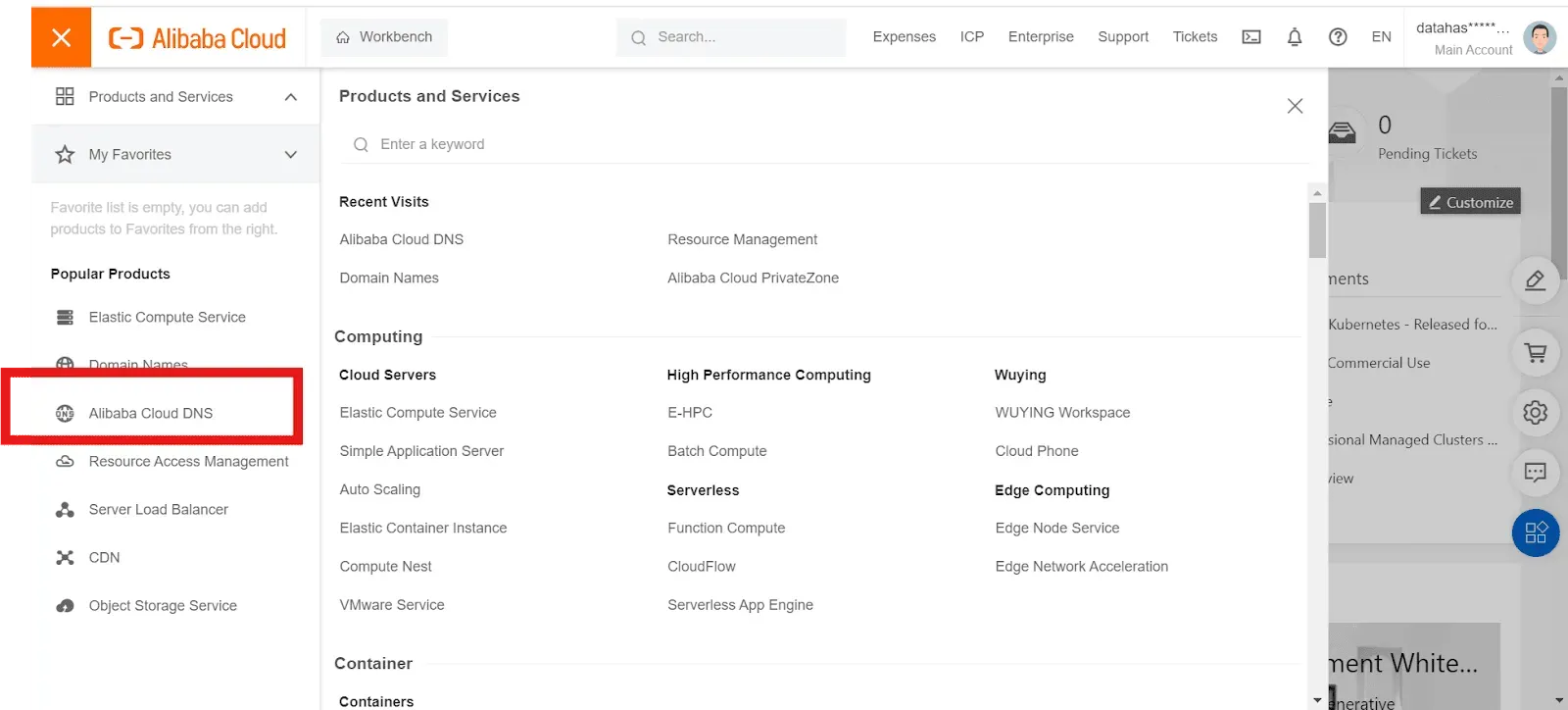
The Products and Services panel open from the navigation menu, with Alibaba Cloud DNS highlighted in the Popular Products list. 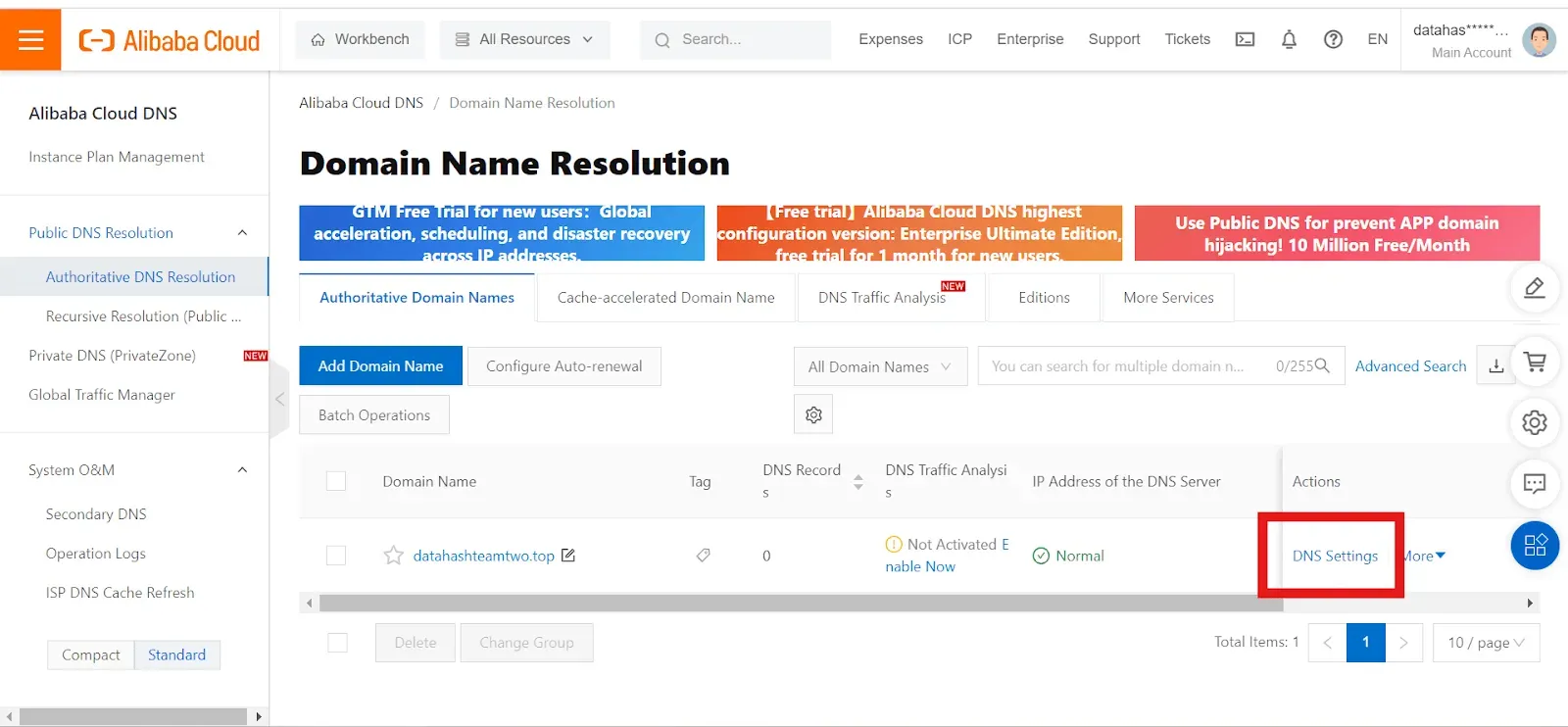
The Domain Name Resolution page listing the domain, with DNS Settings highlighted in the Actions column. 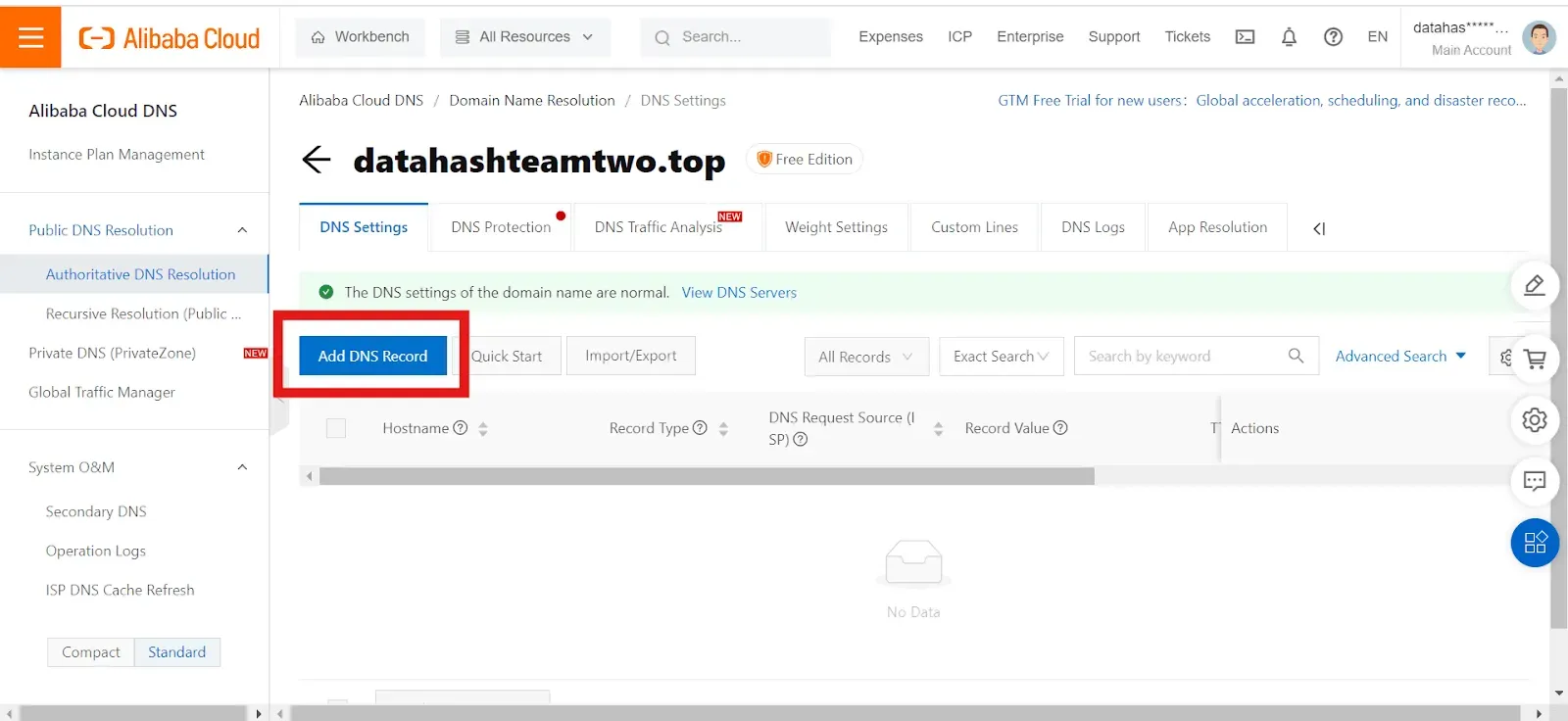
The DNS Settings page for the domain, with Add DNS Record highlighted above the empty records table. 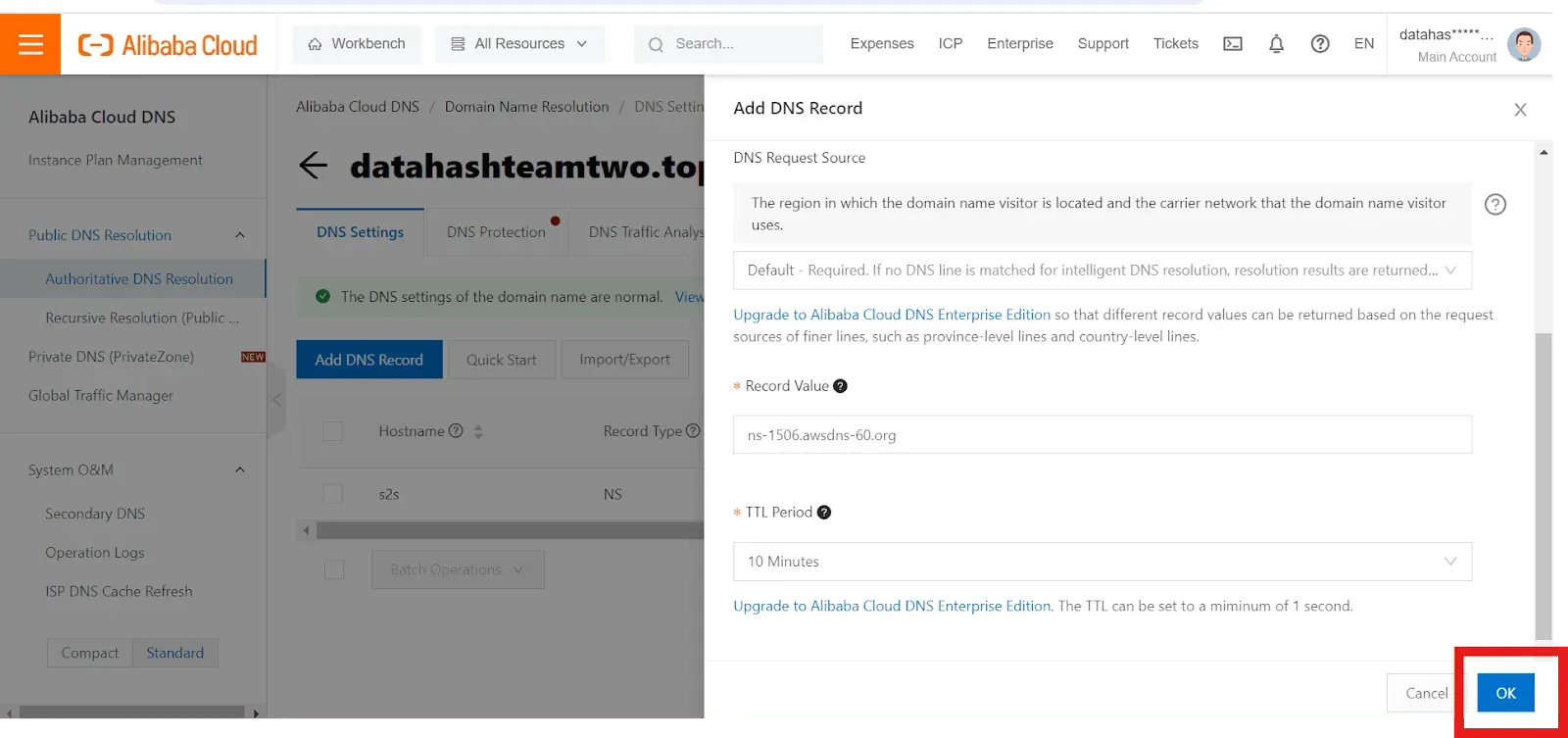
The Add DNS Record panel, with a nameserver value entered in Record Value, the TTL Period set to 10 Minutes, and OK highlighted at the bottom right.
Adding NS records
Section titled “Adding NS records”-
Sign in to the Alibaba Cloud DNS console.
-
Open the navigation at the top left and click Alibaba Cloud DNS.
-
On the Authoritative Domain Names tab, find the domain and click DNS Settings in the Actions column.
-
Click Add DNS Record, enter one nameserver value, and click OK.
You will have been given four nameserver values. Repeat the last two steps until all four records exist. A delegation with one of the four missing looks complete in the DNS Settings list and does not resolve.
NS record walkthrough1 screenshot
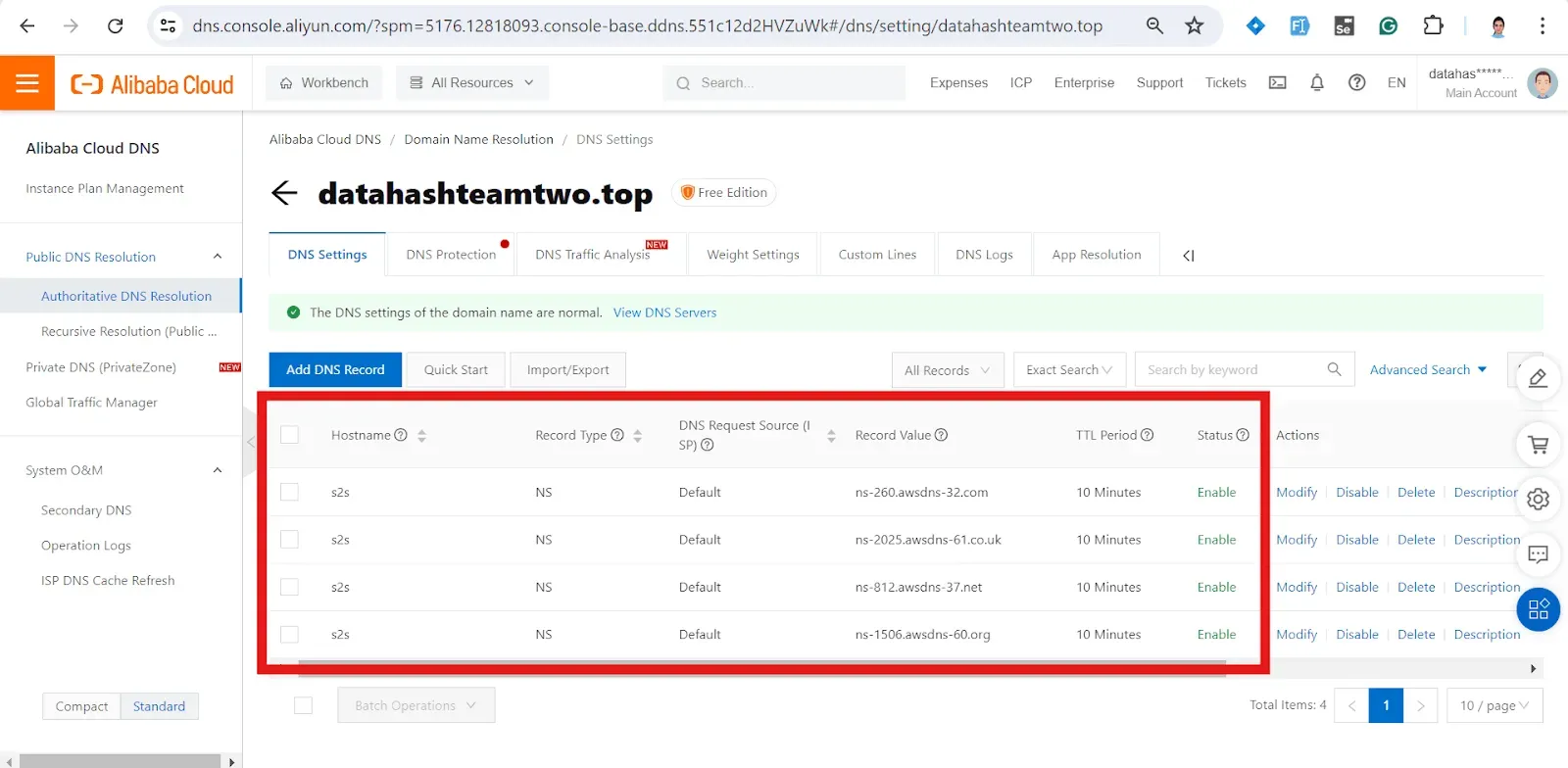
The DNS Settings records table after saving, with all four NS records for the host s2s highlighted, each carrying a different nameserver in Record Value.
Adding a CNAME record
Section titled “Adding a CNAME record”-
Sign in to the Alibaba Cloud DNS console and open Alibaba Cloud DNS.
-
On the Authoritative Domain Names tab, find the domain and click DNS Settings.
-
Click Add DNS Record, paste the value you were given, and click OK.
Every screenshot for this record type is in Getting to the DNS records panel at the top of the page.