

Add DNS records at Dreamhost
These are the steps for Dreamhost. For what the records do and how to check the setup afterwards, see Subdomain setup.
Datahash tells you which record type to use and gives you the values. Follow the matching section below and enter the values you were given.
Adding NS records
Section titled “Adding NS records”-
Sign in to DreamHost.
-
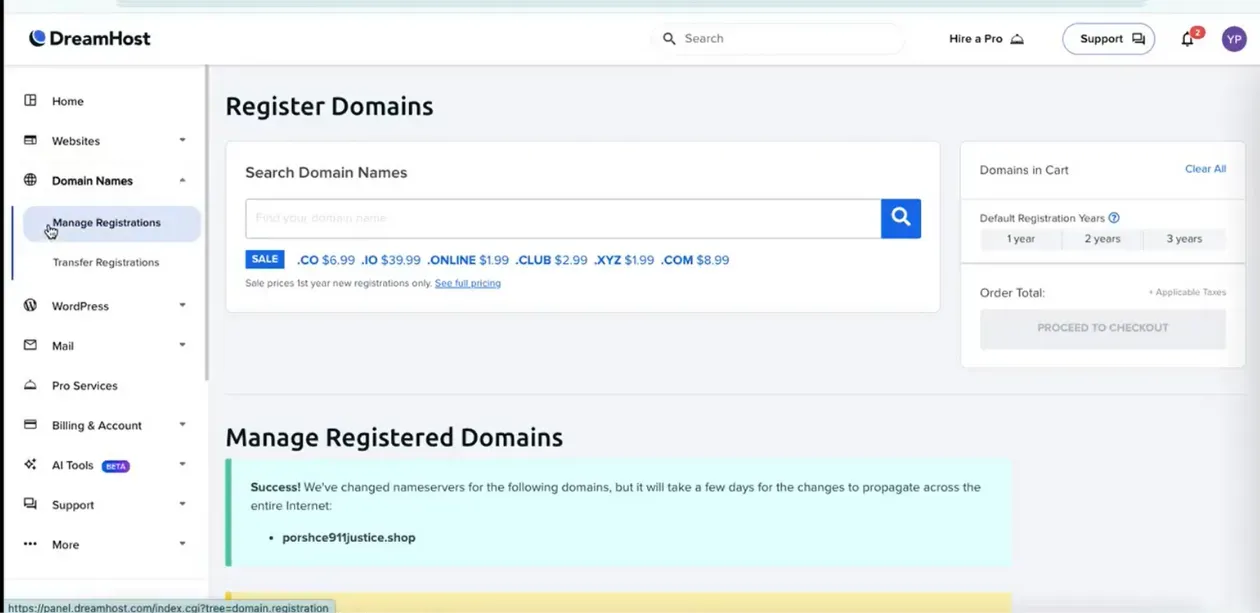
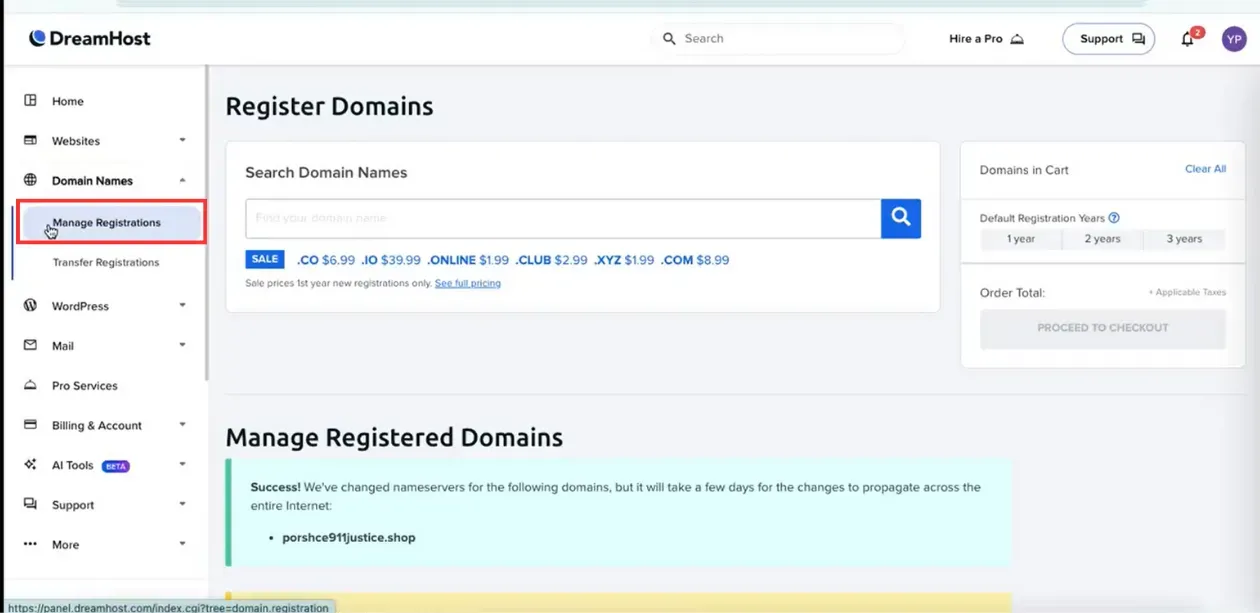
Click Manage Registrations under Domain Names.
-
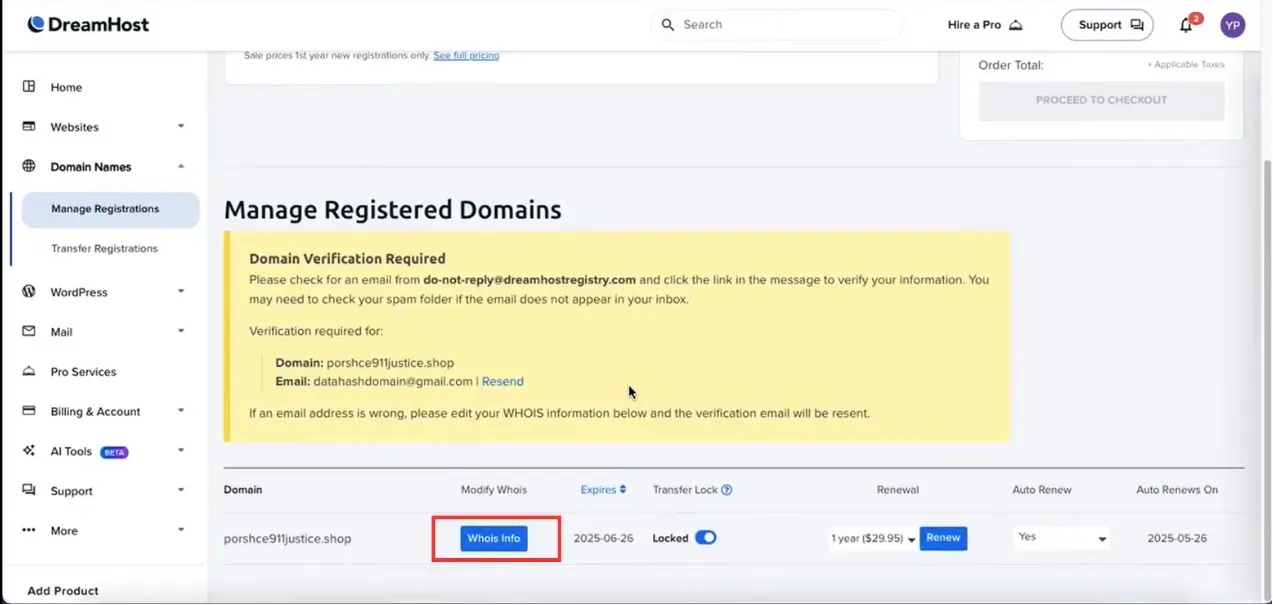
Scroll to the domain and click Whois Info.
-
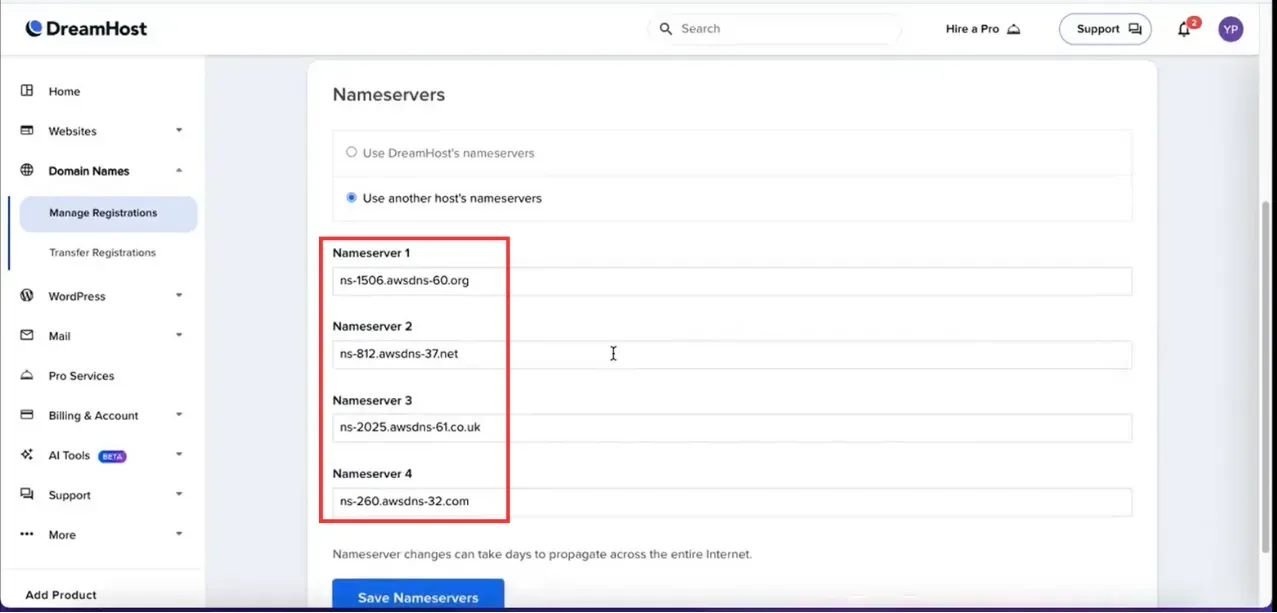
Go to the Nameservers section, enter one nameserver value, and click Save Nameservers.
You will have been given four nameserver values. Repeat the last two steps until all four records exist. A delegation with one of the four missing looks complete in the Nameservers section and does not resolve.
NS record walkthrough5 screenshots
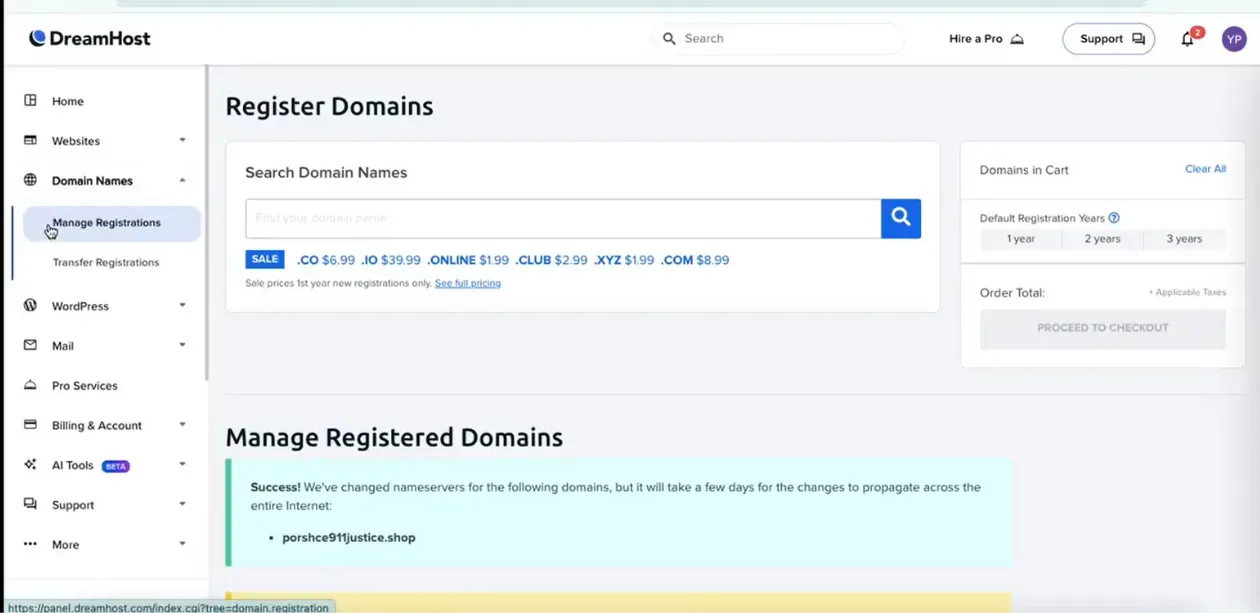
The DreamHost dashboard, with Manage Registrations listed under Domain Names in the sidebar. 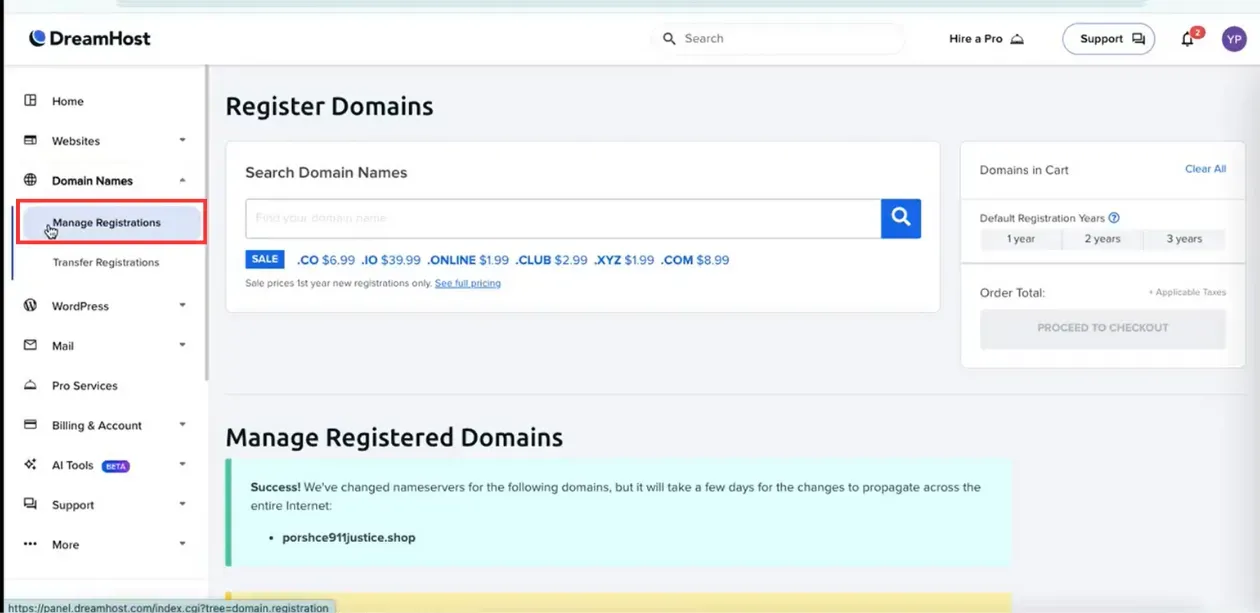
The dashboard sidebar, with Manage Registrations boxed under Domain Names. 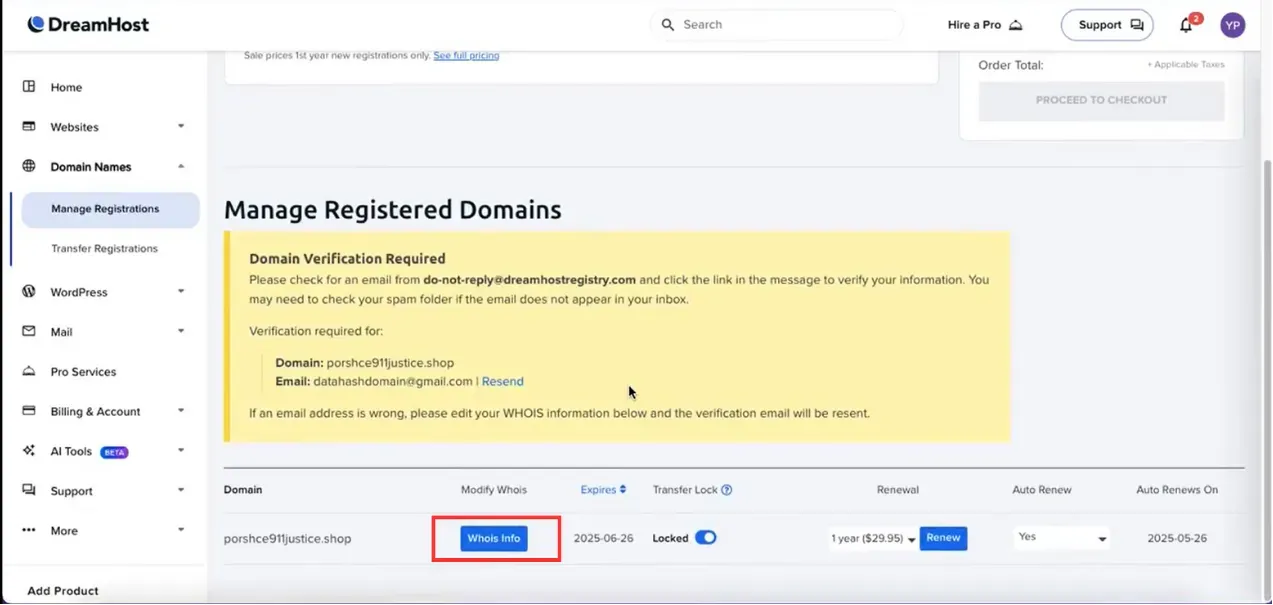
The Manage Registered Domains list, with the Whois Info button boxed on the domain row. 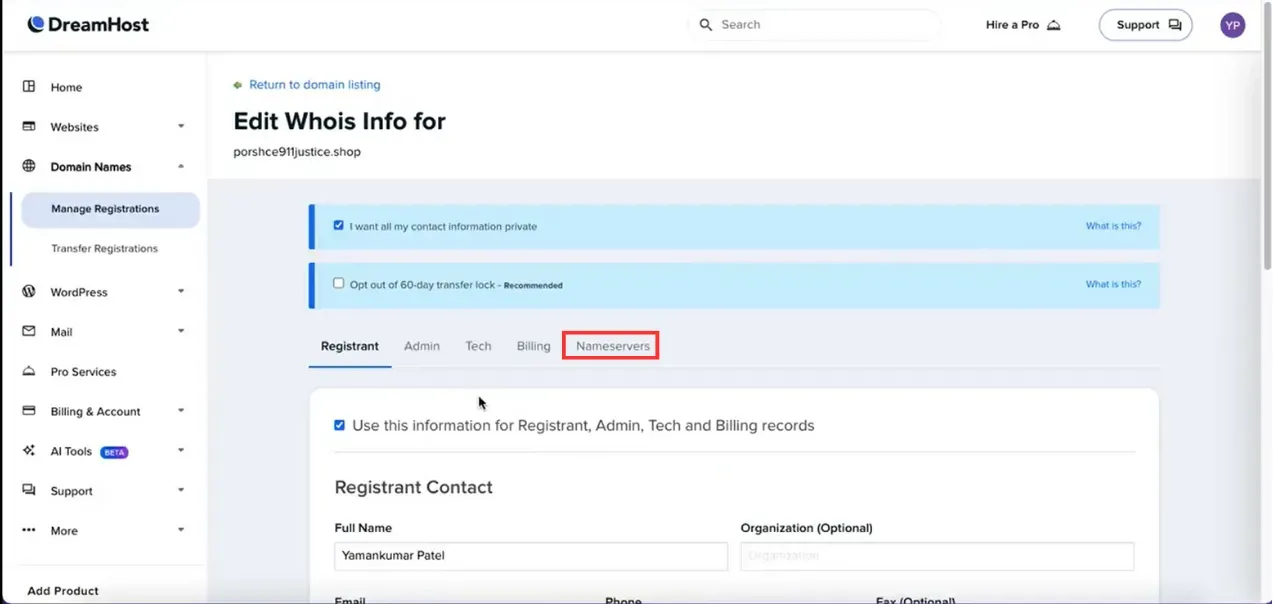
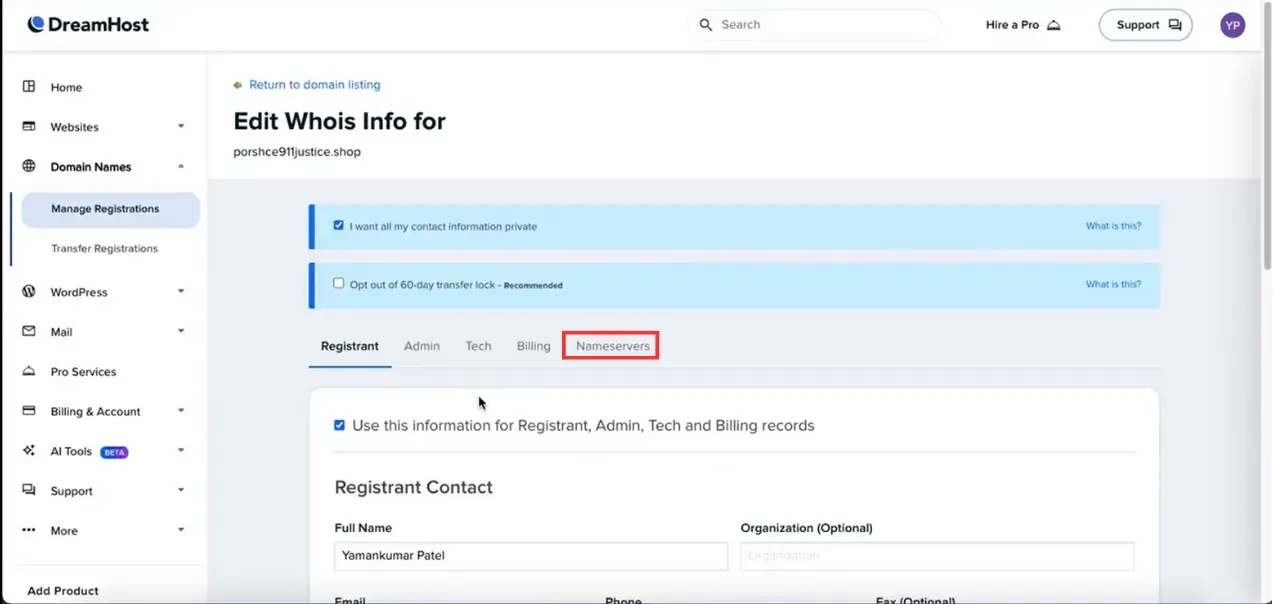
The Edit Whois Info page, with the Nameservers tab boxed beside Registrant, Admin, Tech and Billing. 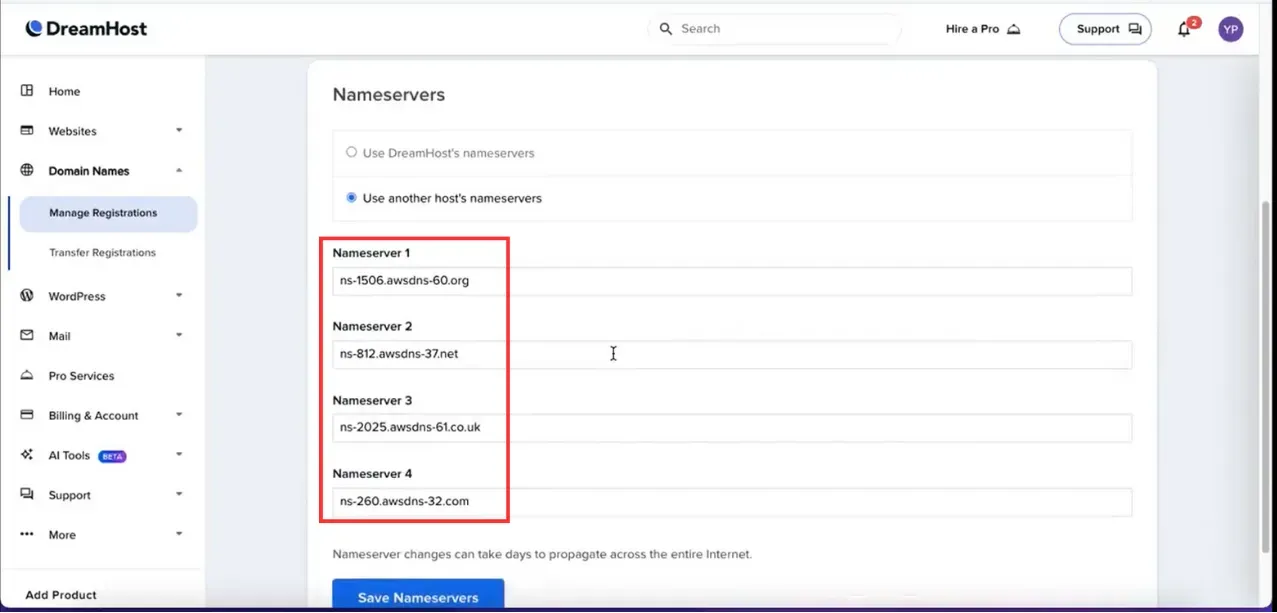
The Nameservers section, with the four Nameserver fields boxed above the Save Nameservers button.
Adding a CNAME record
Section titled “Adding a CNAME record”-
Sign in to DreamHost and click Manage Domains under Domain Names.
-
Choose the domain and click DNS.
-
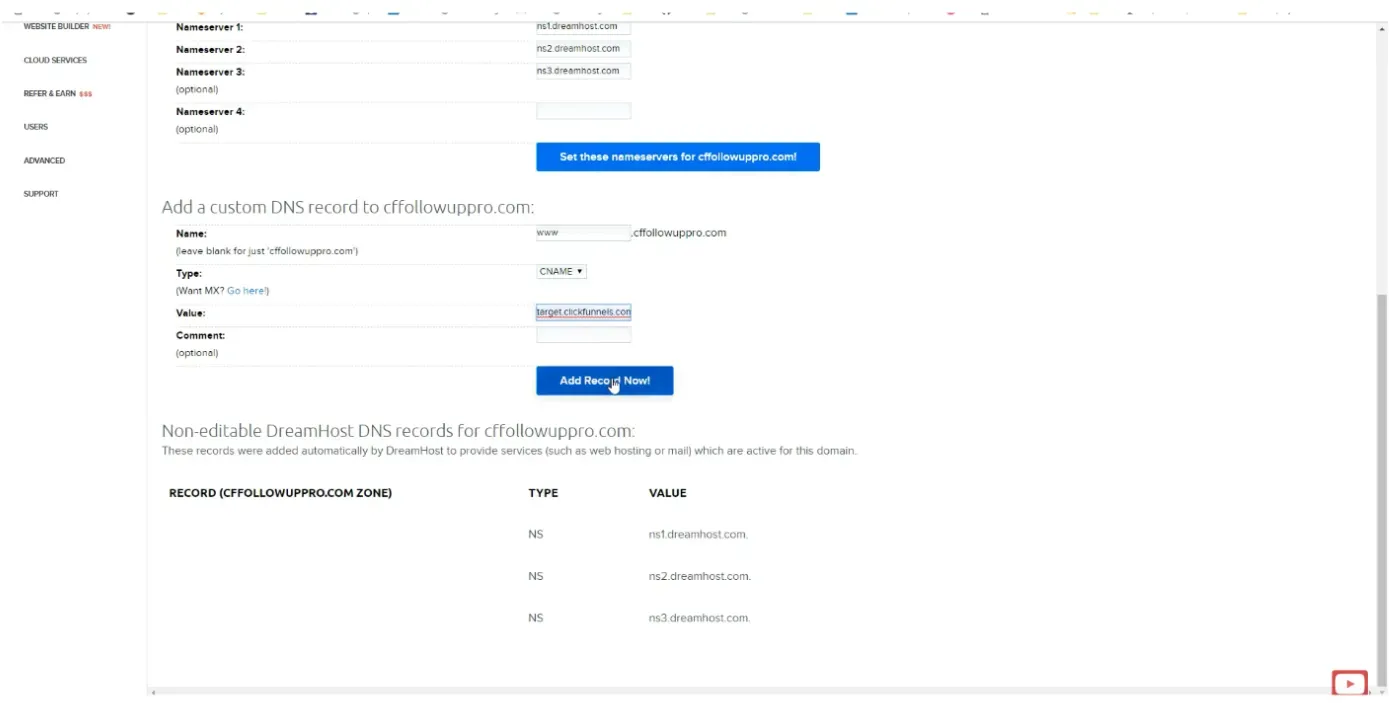
Choose CNAME as the type and paste the value you were given.
-
Click Add Record Now.
CNAME record walkthrough4 screenshots
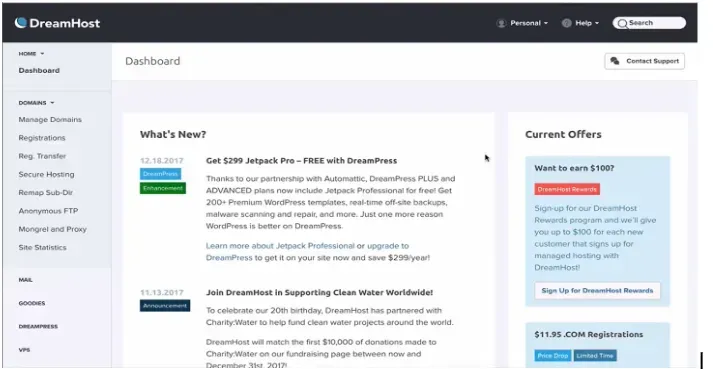
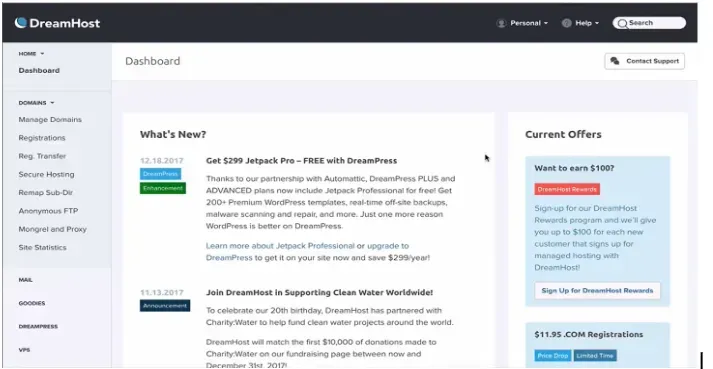
The DreamHost dashboard home page, with Domains listed in the sidebar below Dashboard. 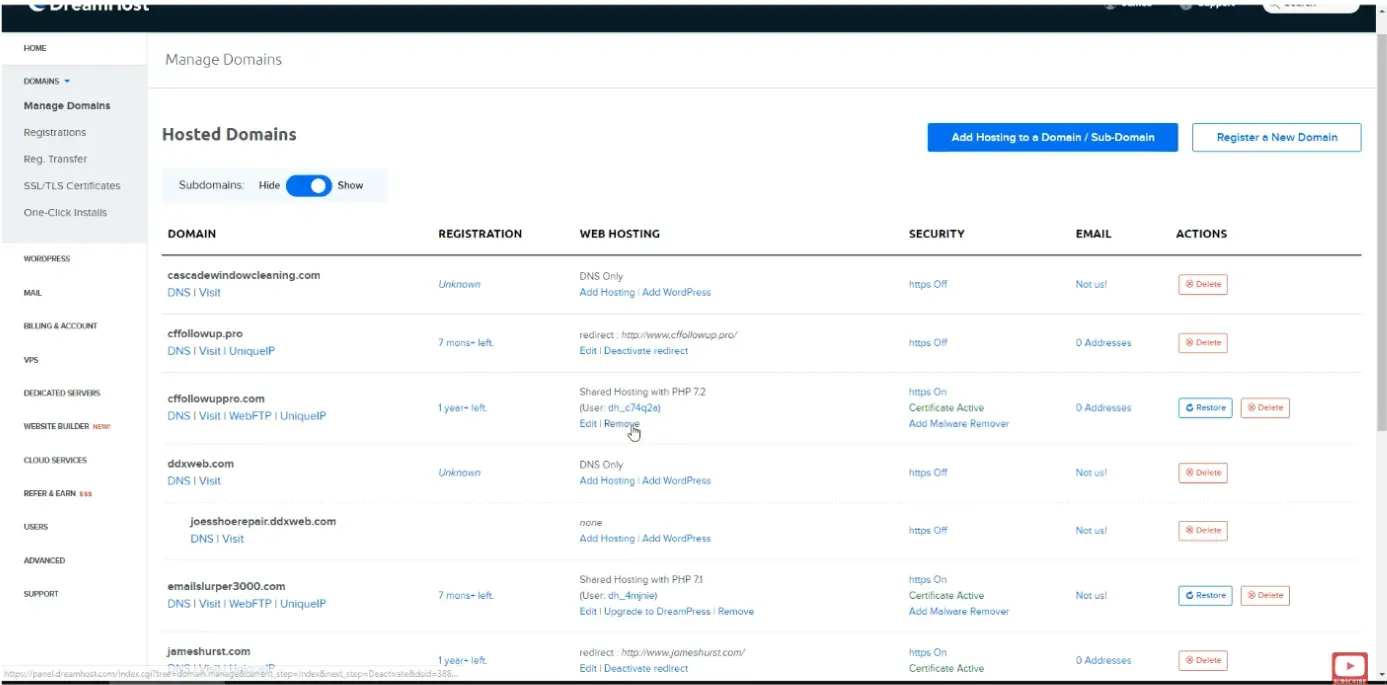
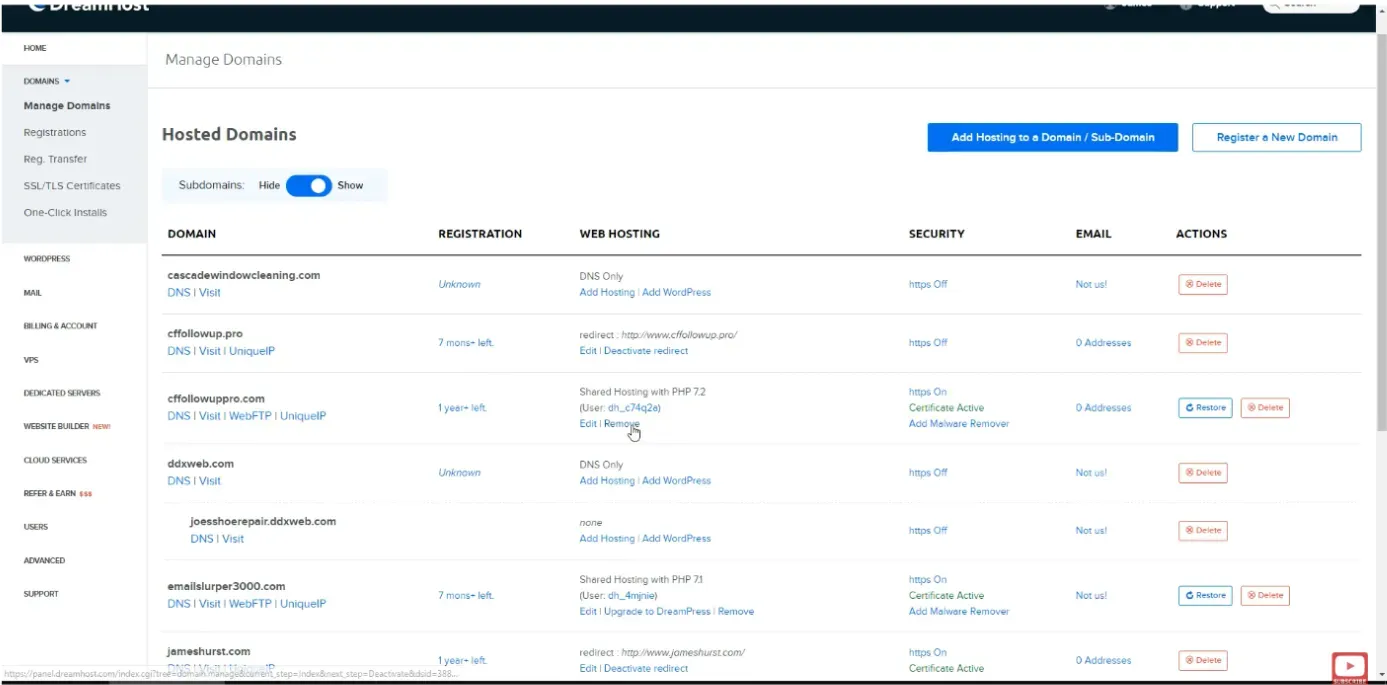
The Manage Domains page, listing hosted domains with DNS, Visit and other links per row. 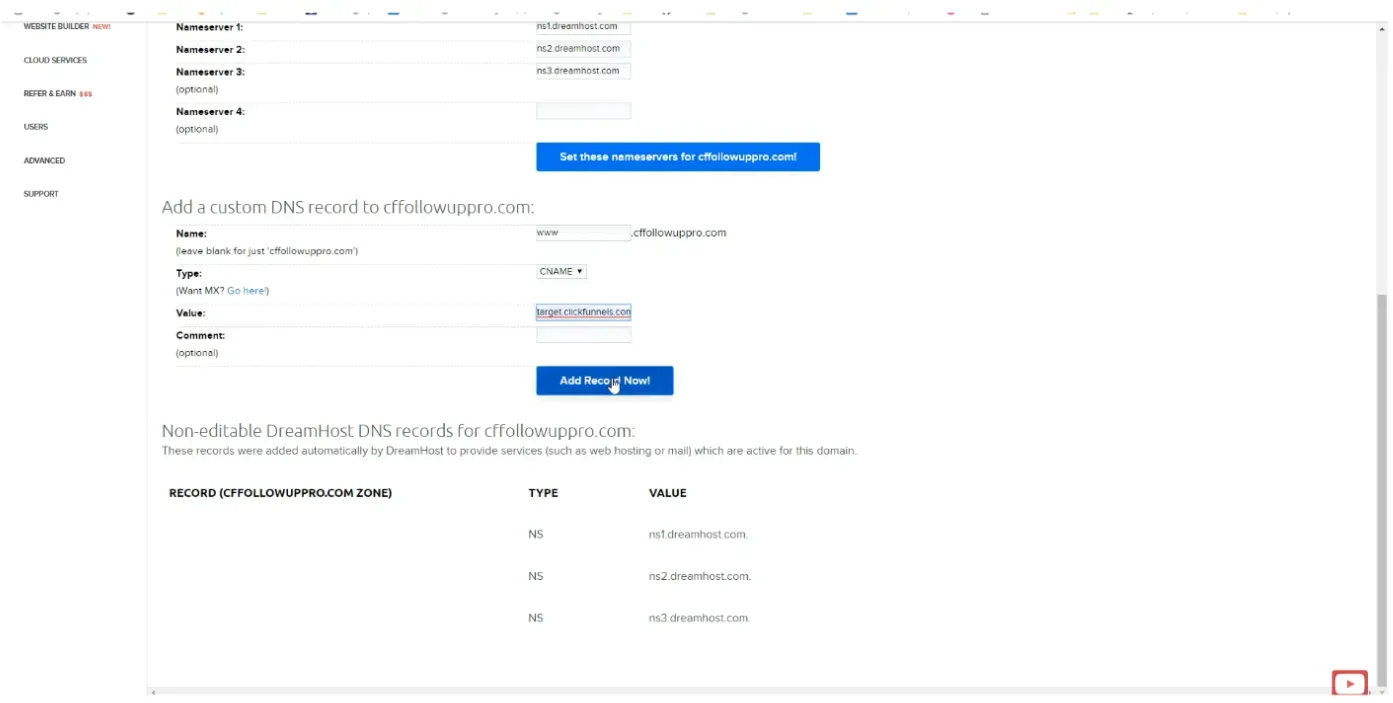
The Add a custom DNS record form, with Type set to CNAME and the target value in the Value field. 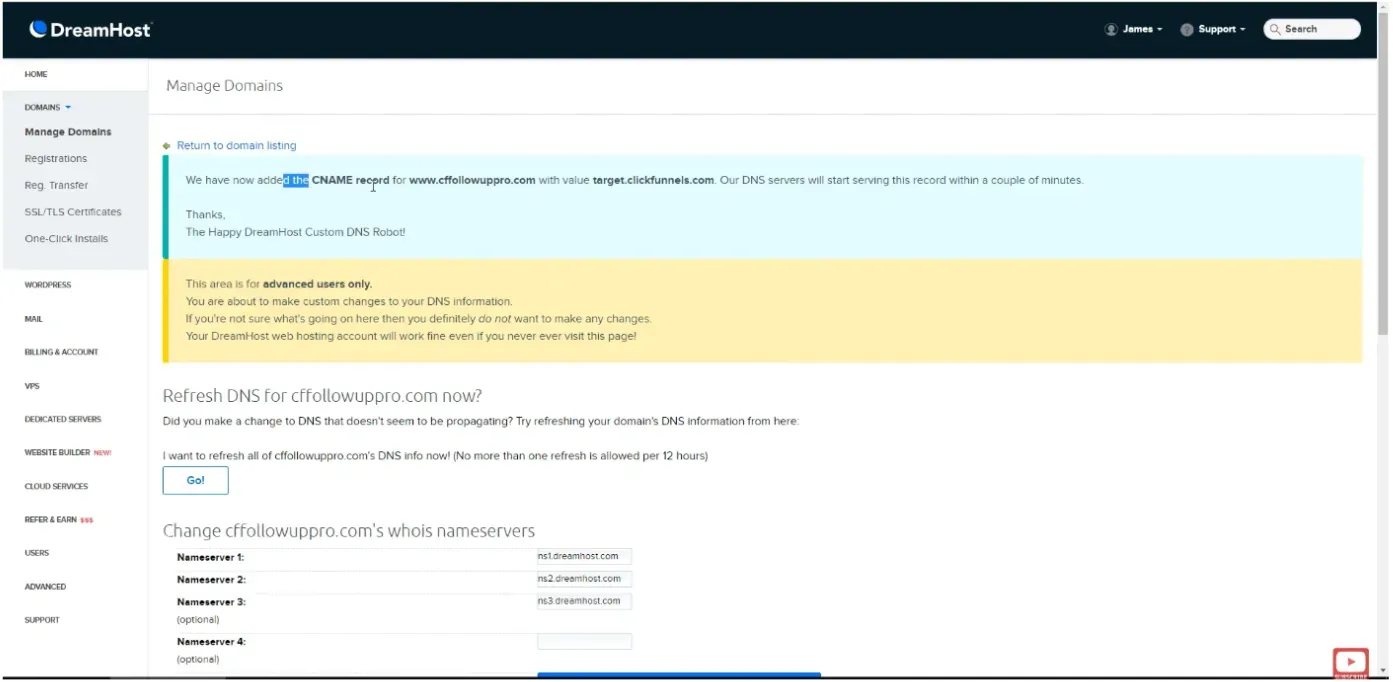
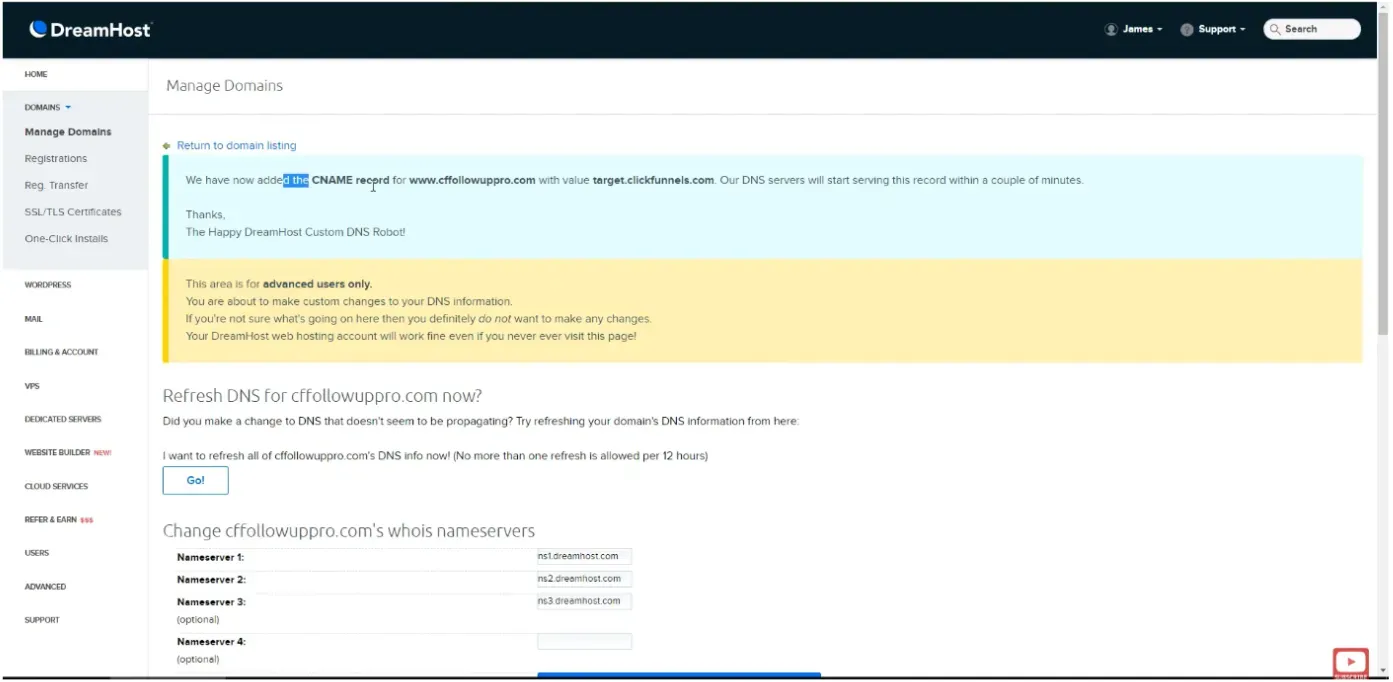
The confirmation message after saving, stating the CNAME record was added along with its value.
Worth knowing
Section titled “Worth knowing”The two record types sit behind different menus on DreamHost. Nameservers are under Manage Registrations and Whois Info, while a CNAME is under Manage Domains and DNS.