

Add DNS records at Dynadot
These are the steps for Dynadot. For what the records do and how to check the setup afterwards, see Subdomain setup.
Datahash tells you which record type to use and gives you the values. Follow the matching section below and enter the values you were given.
Adding NS records
Section titled “Adding NS records”-
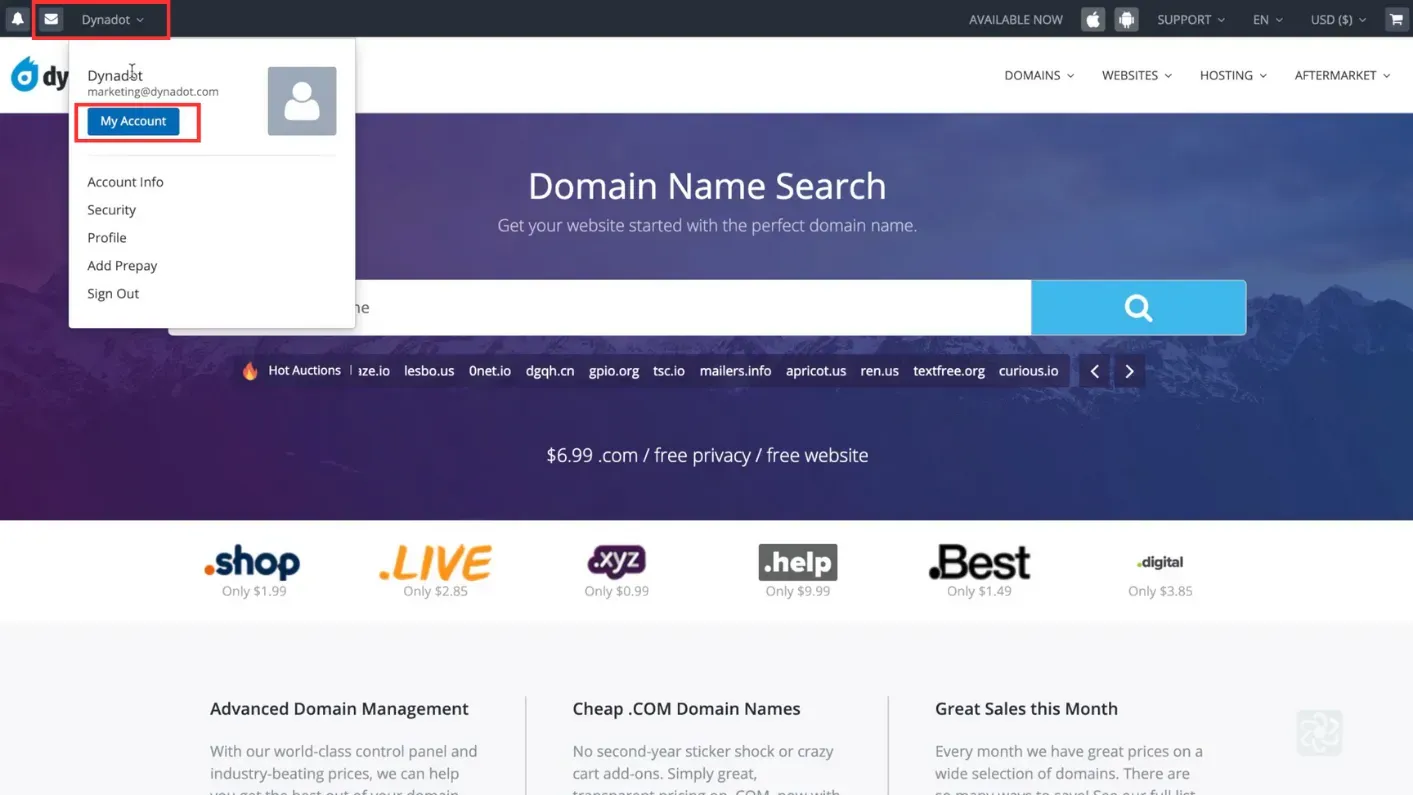
Sign in to Dynadot and go to My Account.
-
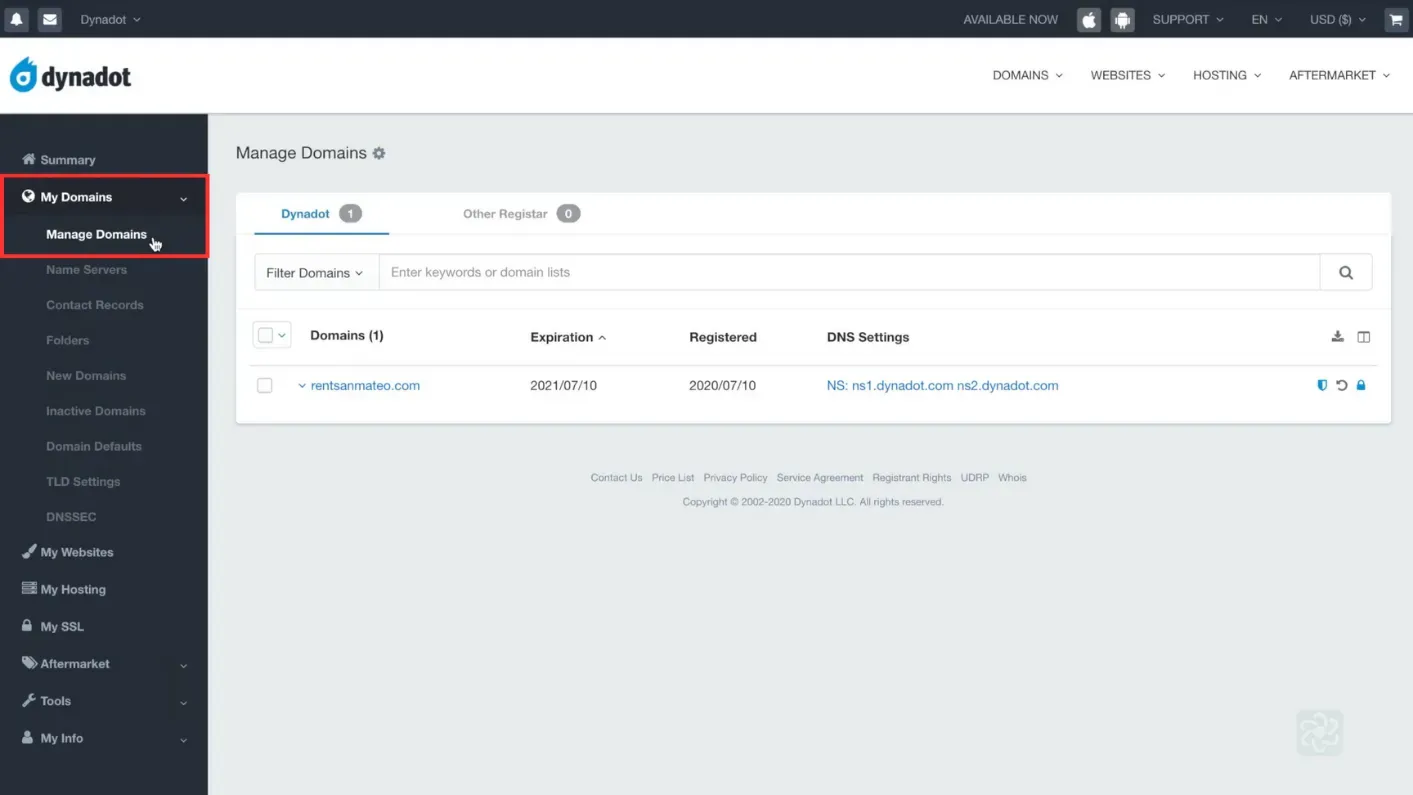
Open Manage Domains under My Domains.
-
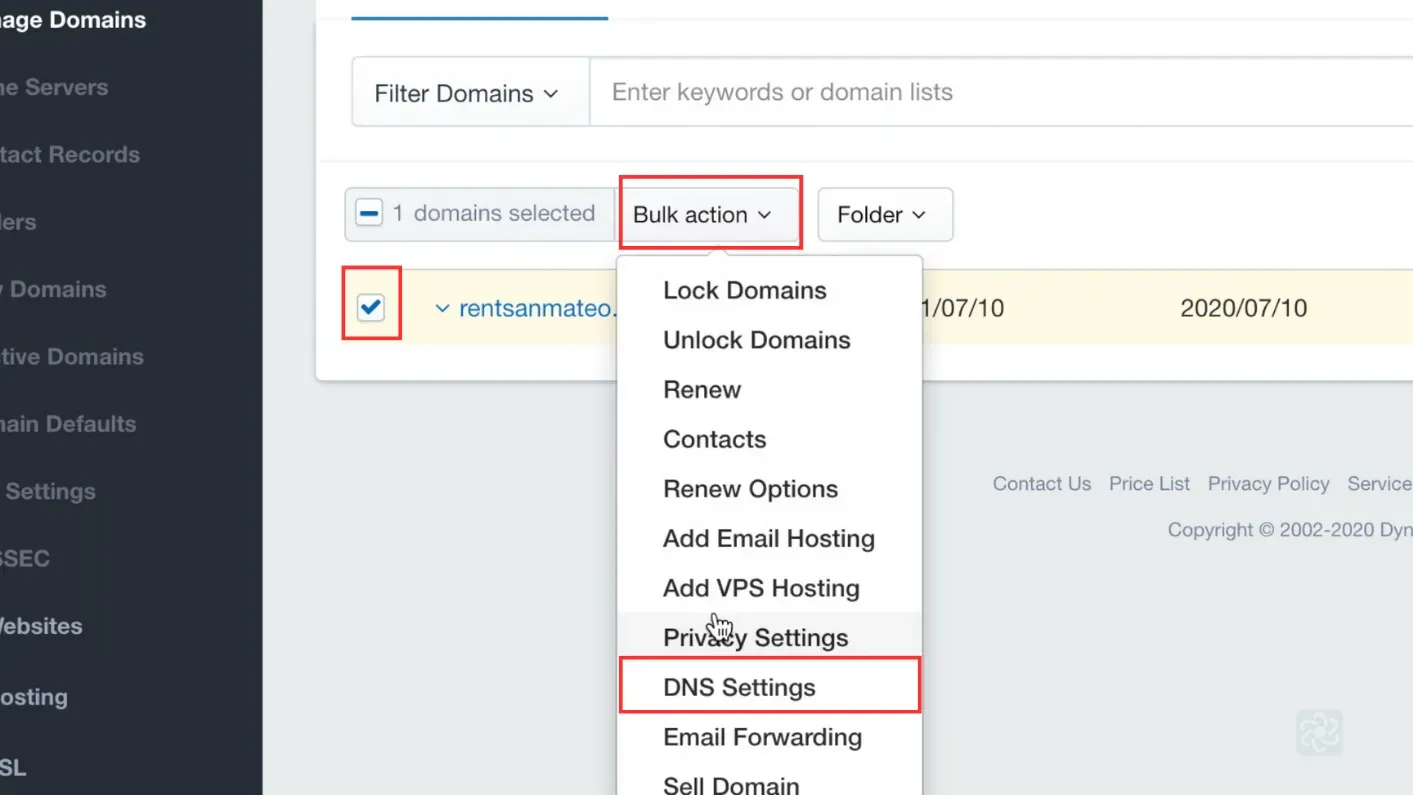
Tick the domain, click Bulk action, then DNS Settings.
-
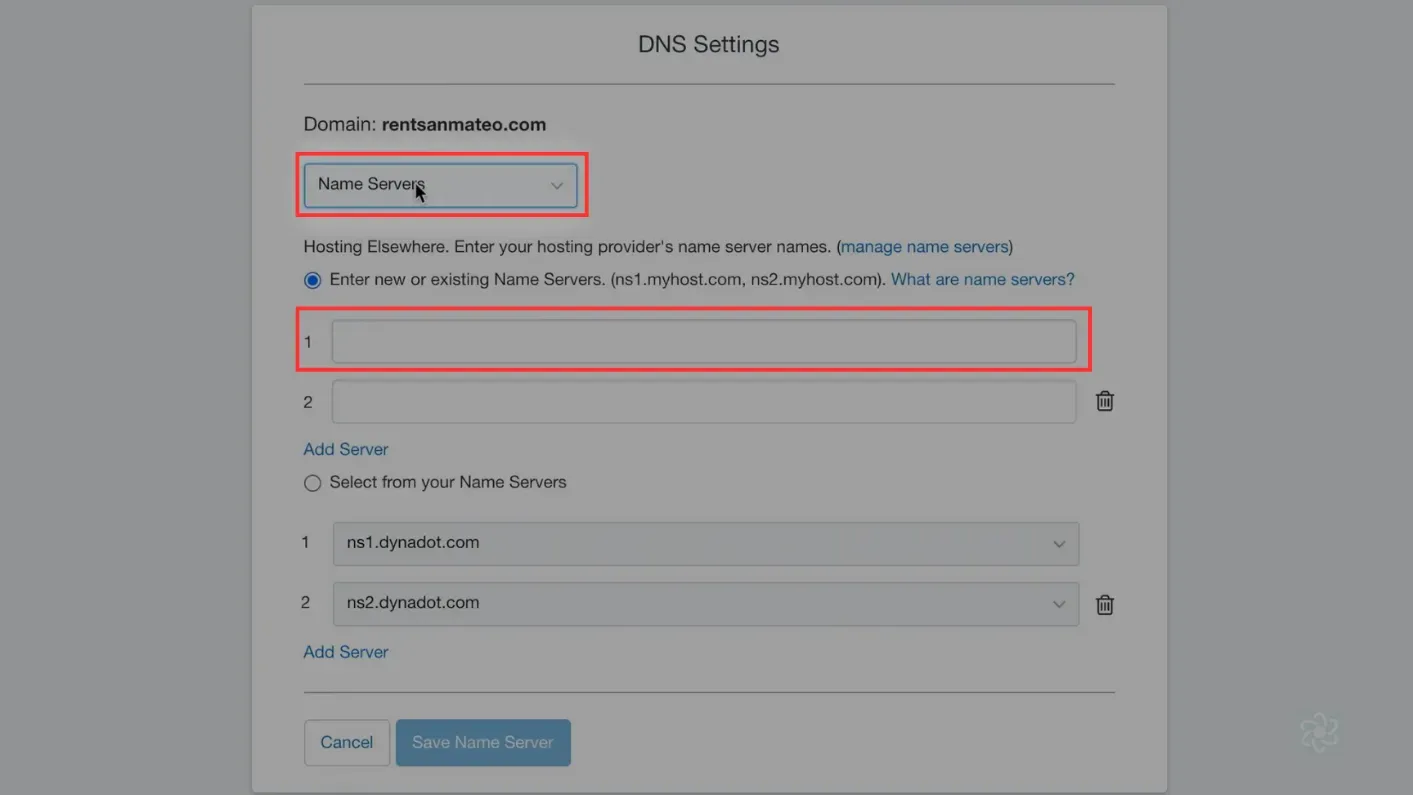
Choose Nameserver from the dropdown, choose to enter a new or existing nameserver, enter one value, and click Save Name Server.
You will have been given four nameserver values. Repeat the last two steps until all four records exist. A delegation with one of the four missing looks complete in DNS Settings and does not resolve.
NS record walkthrough4 screenshots
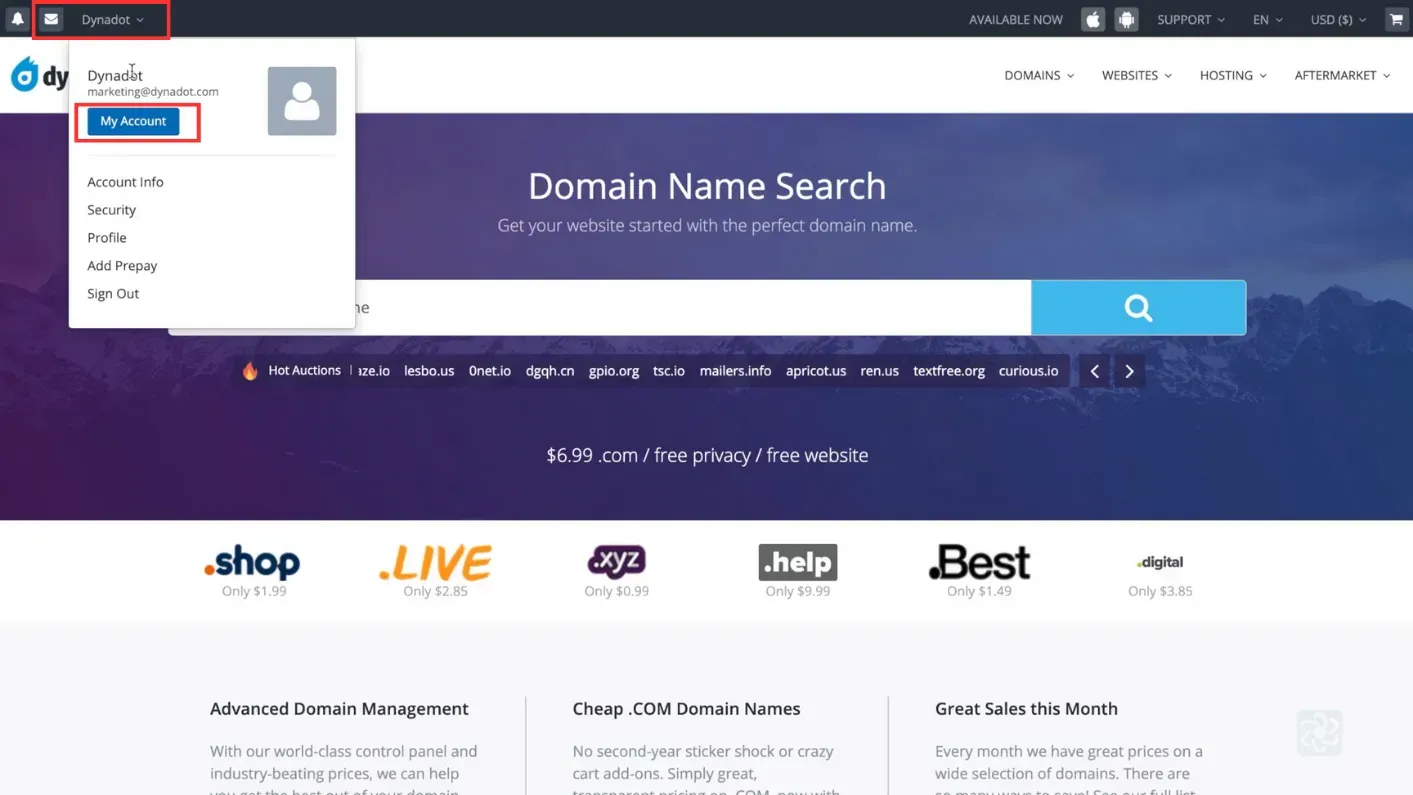
The account dropdown open in the top bar, with the account name and My Account both boxed. 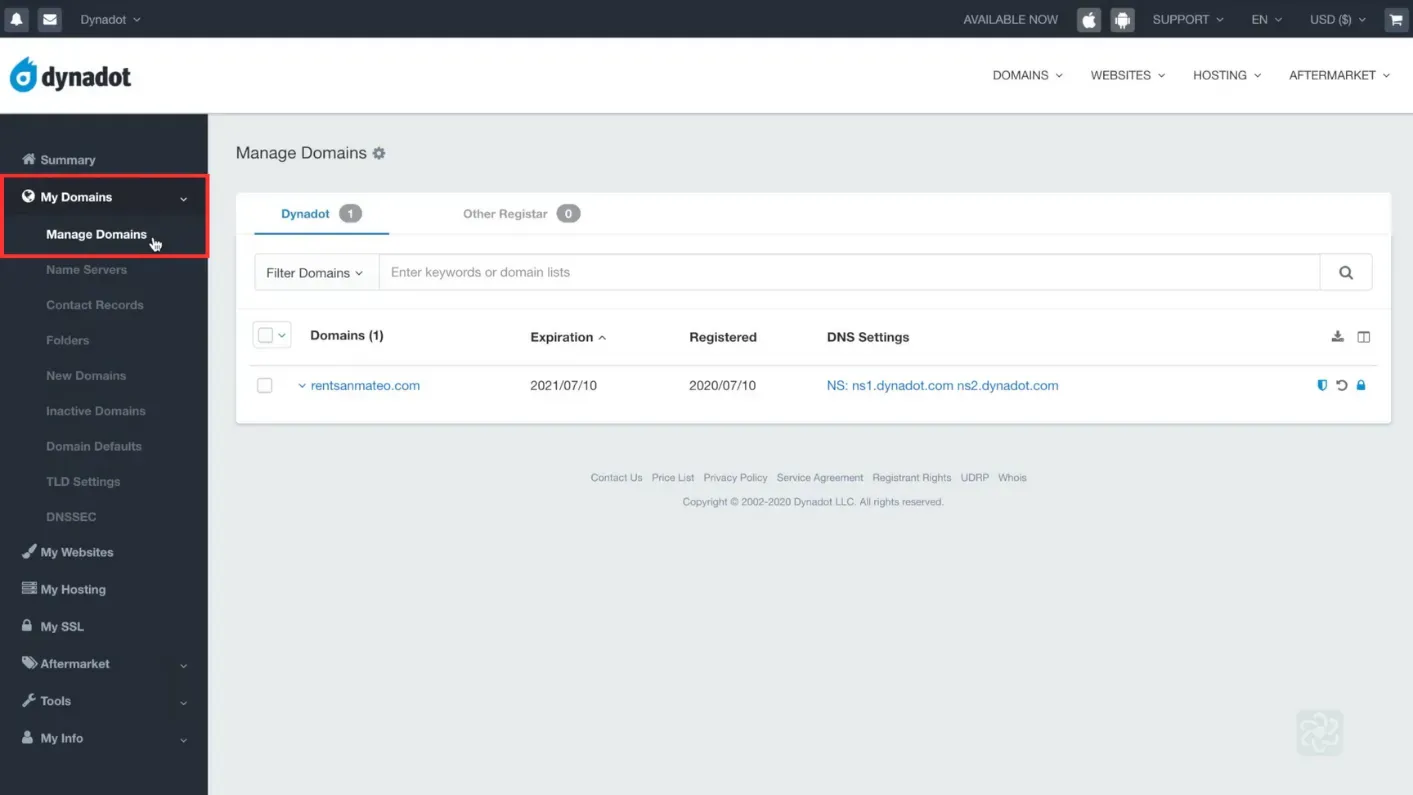
Manage Domains, with My Domains boxed in the left sidebar. 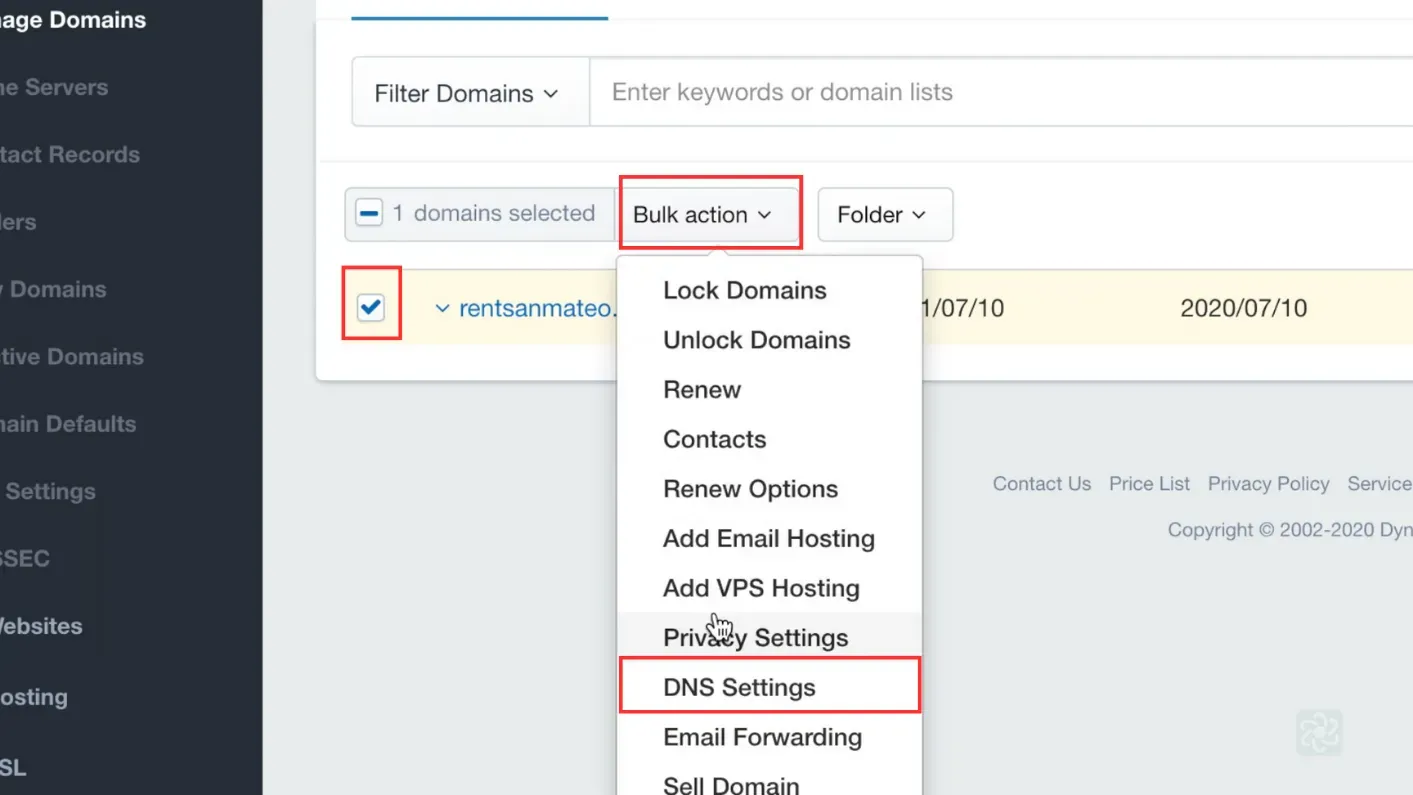
The Bulk action menu open on the selected domain, with DNS Settings boxed in the list. 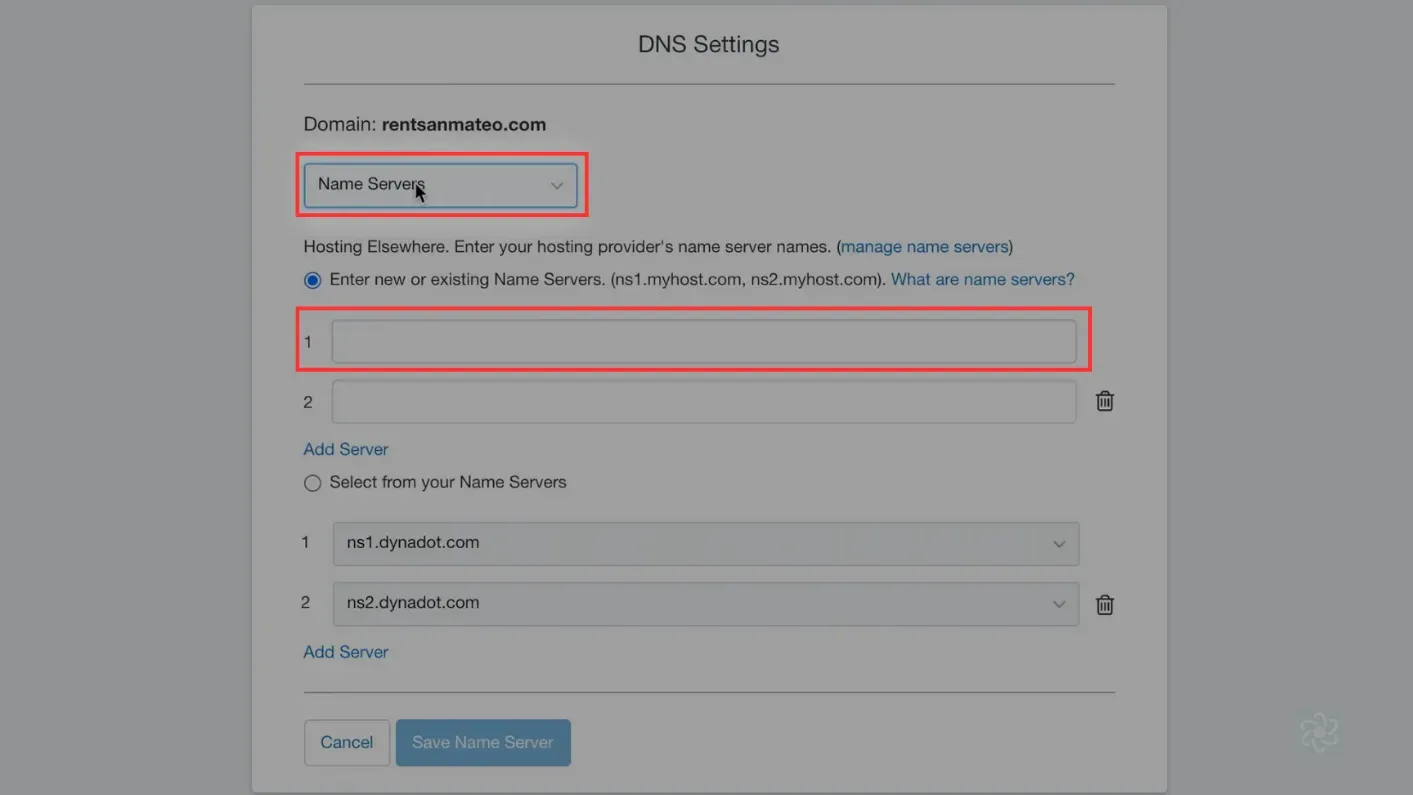
The DNS Settings dialog, with Name Servers selected and the first nameserver field boxed.
Adding a CNAME record
Section titled “Adding a CNAME record”-
Sign in to Dynadot and open Manage Domains under My Domains.
-
Tick the domain, click Bulk action, then DNS settings.
-
Open the dropdown and choose Dynadot DNS.
-
Set the record type to Forward in the Domain row, then choose CNAME in the SubDomain row and paste the value you were given.
-
Click Add Record, then Save DNS.
CNAME record walkthrough7 screenshots
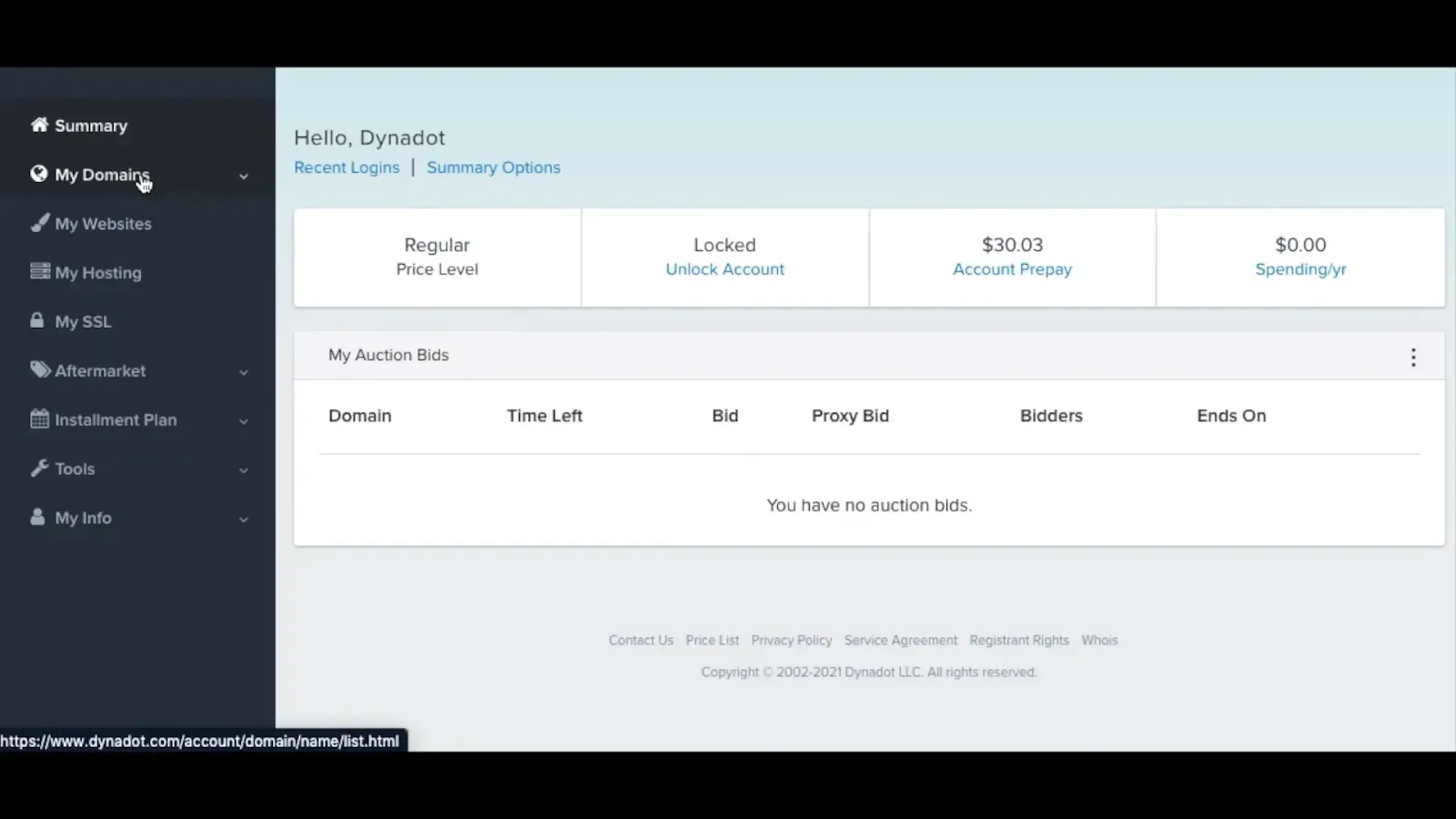
The account summary page after signing in, with the cursor on My Domains in the left sidebar. 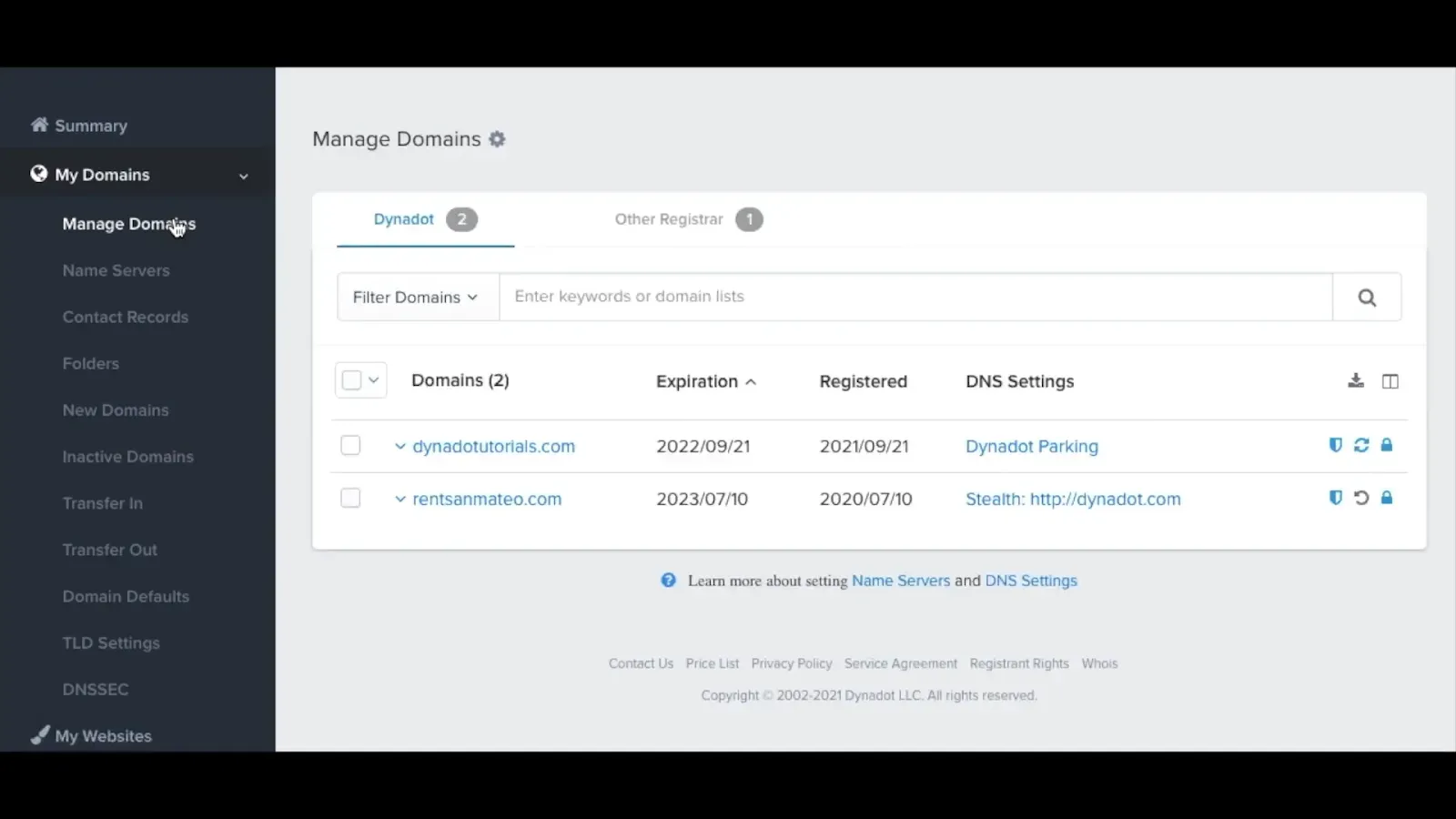
The Manage Domains list, with two domains listed under the Dynadot tab. 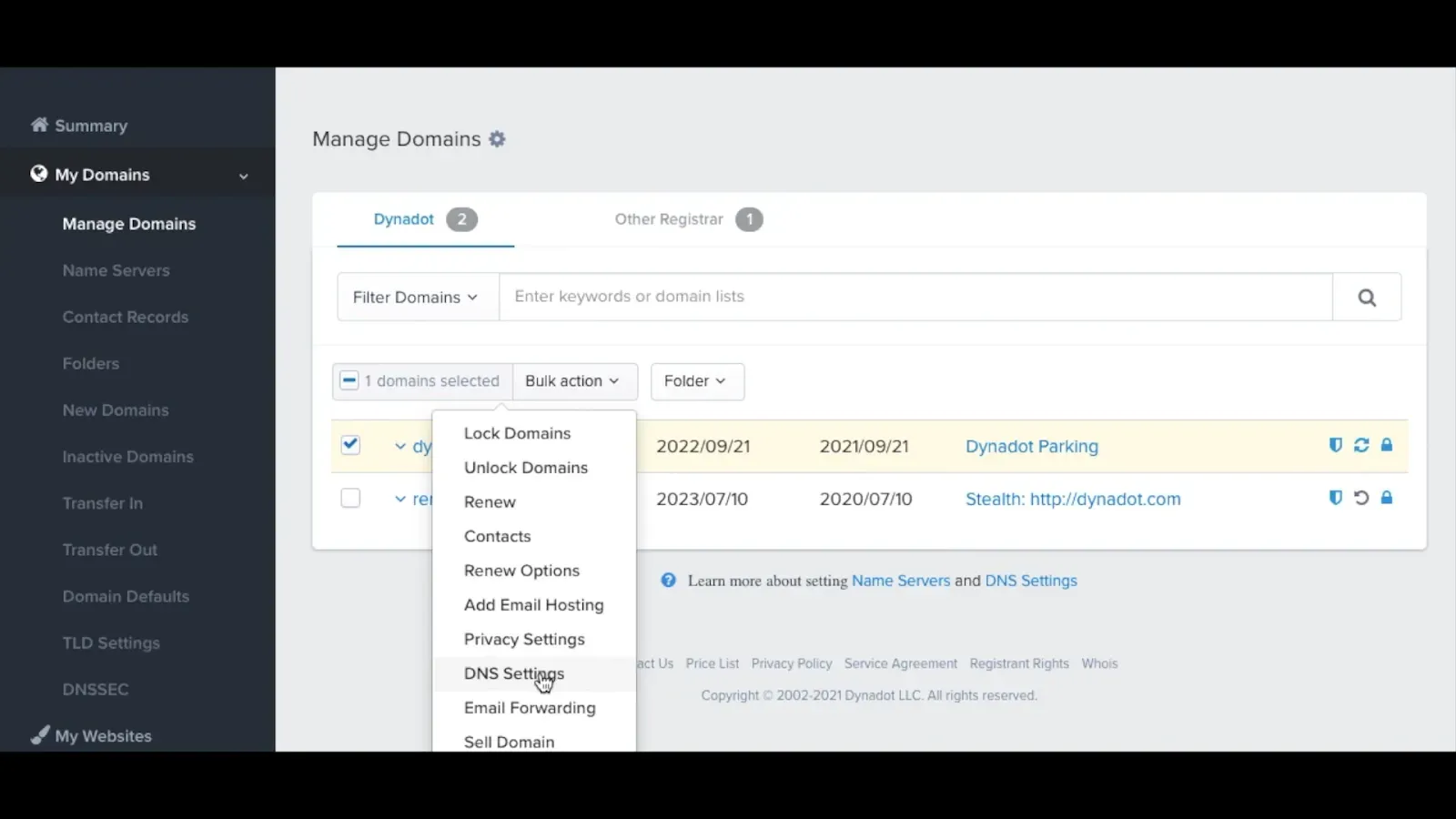
The Bulk action menu open on a selected domain, with the cursor on DNS Settings. 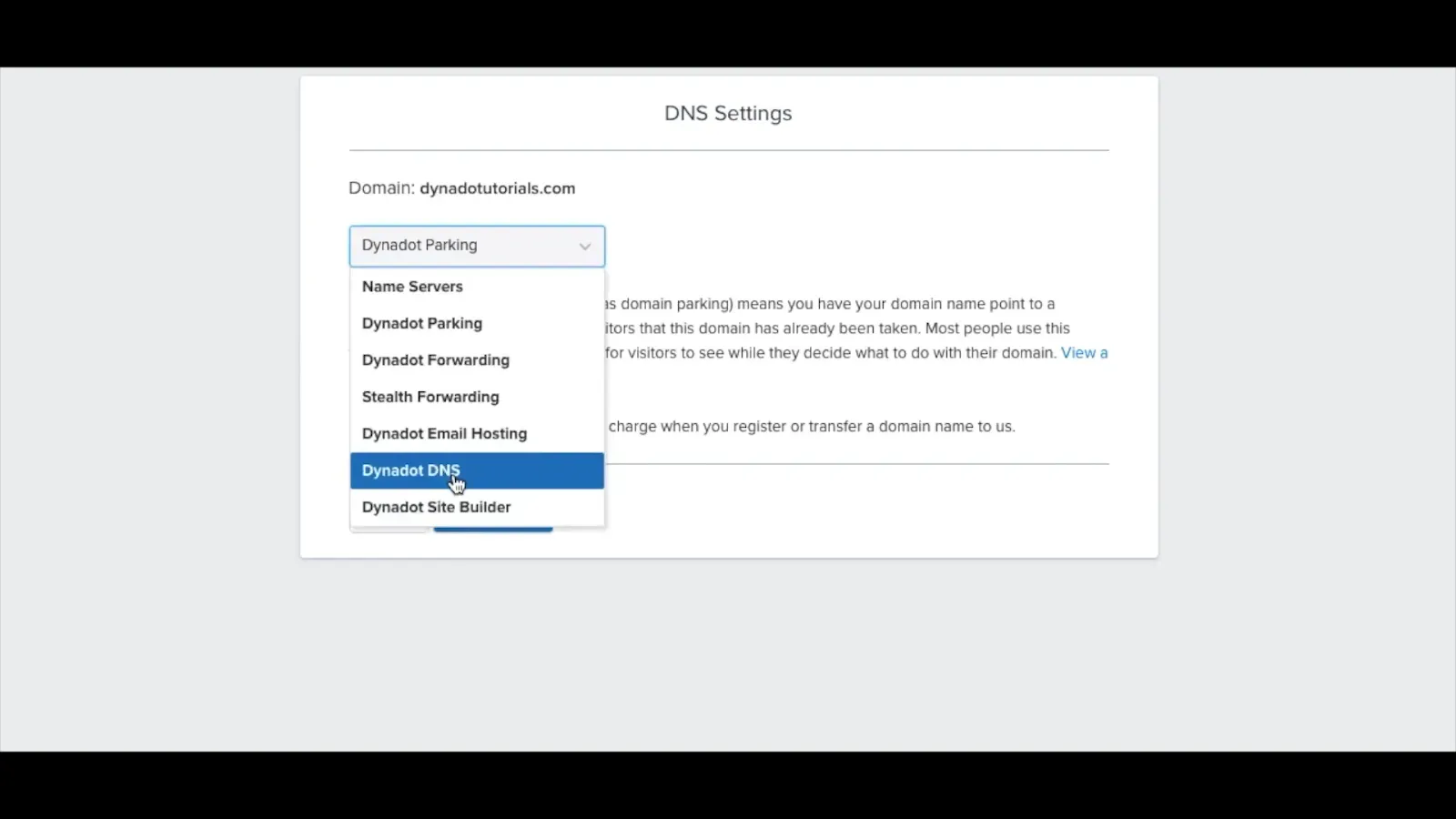
The DNS Settings dropdown, with Dynadot DNS selected from the list. 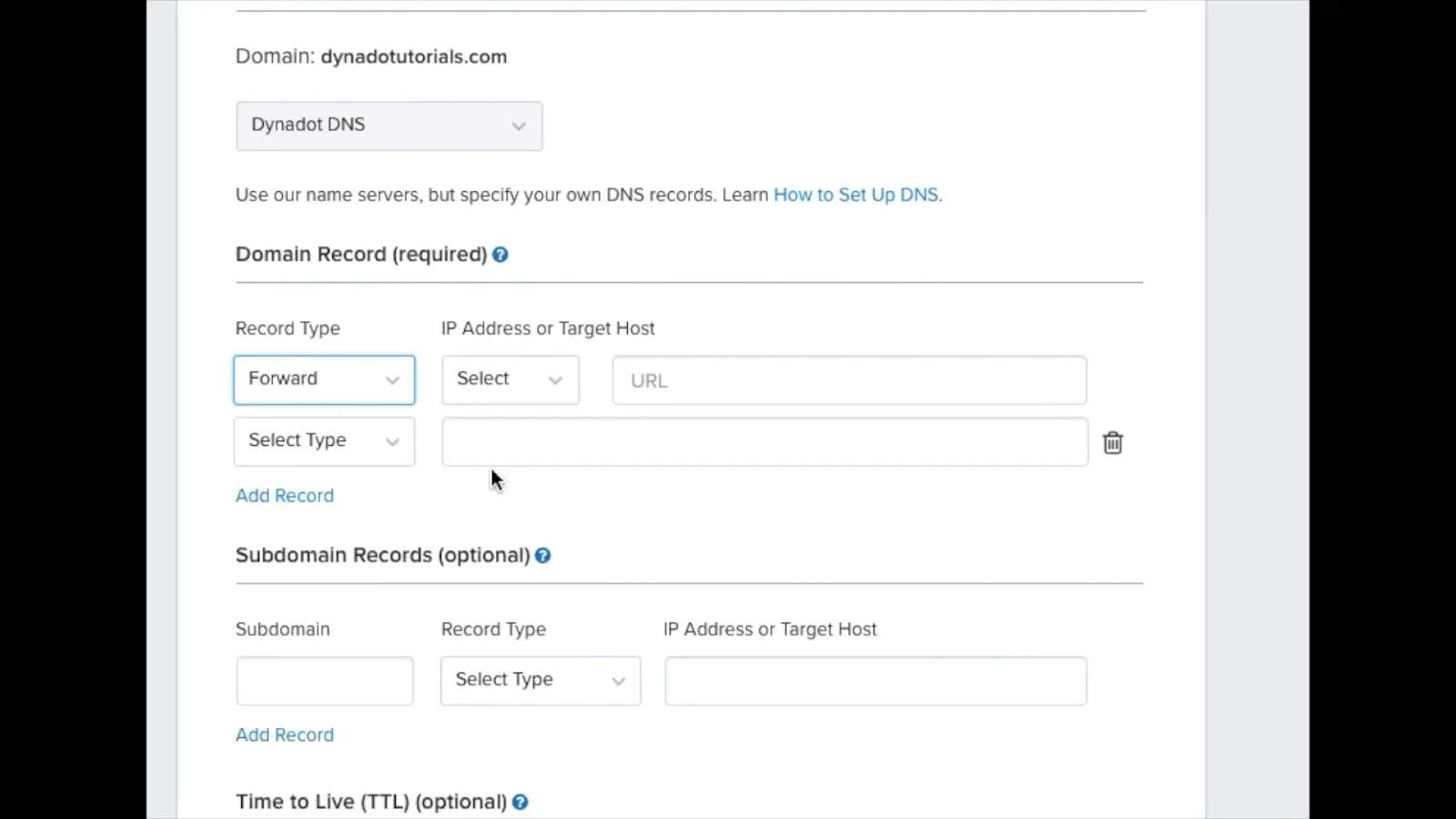
The Dynadot DNS form, with the Domain Record and Subdomain Records sections both empty. 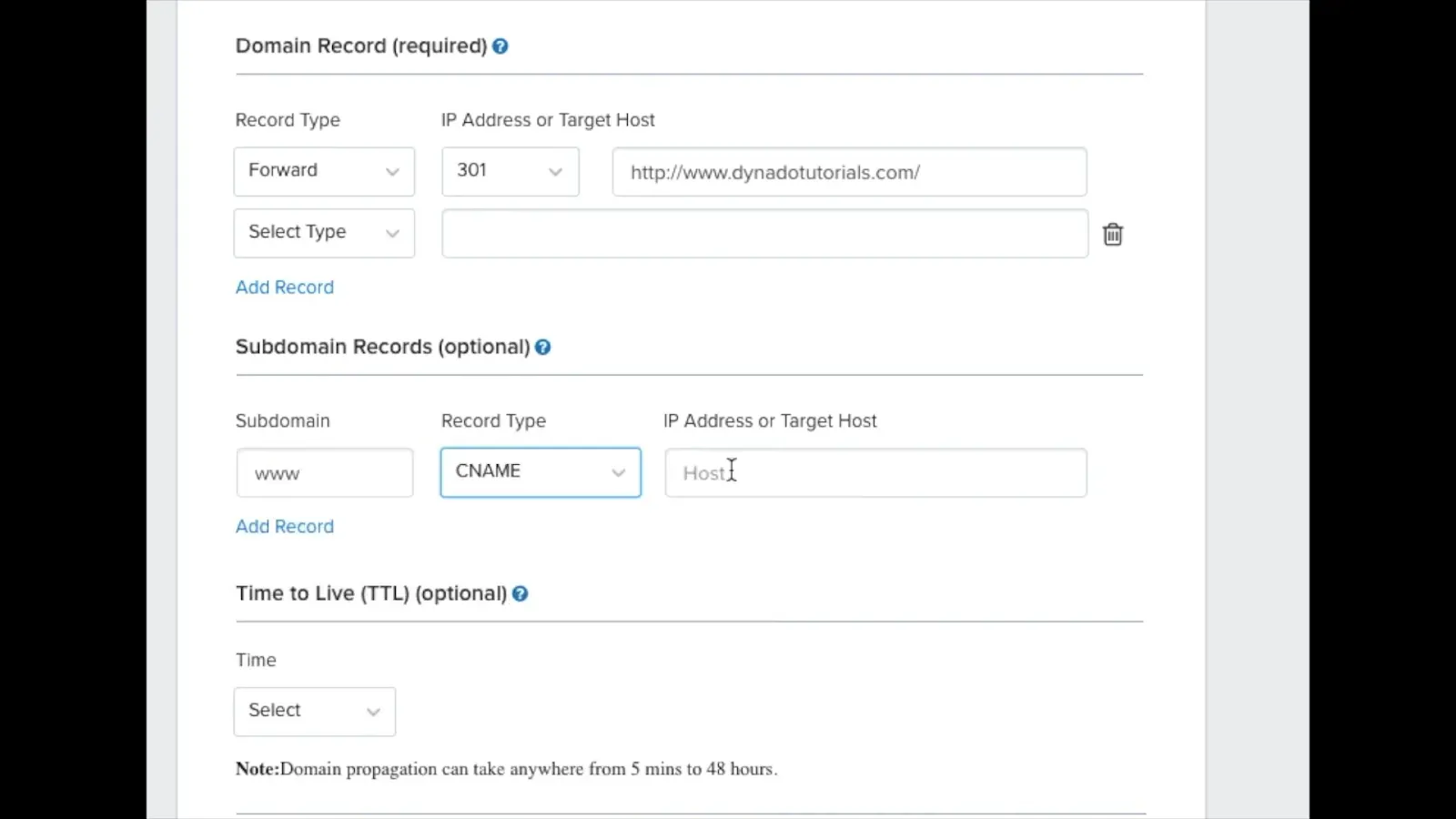
The Subdomain Records section, with www entered in Subdomain and CNAME chosen as the type. 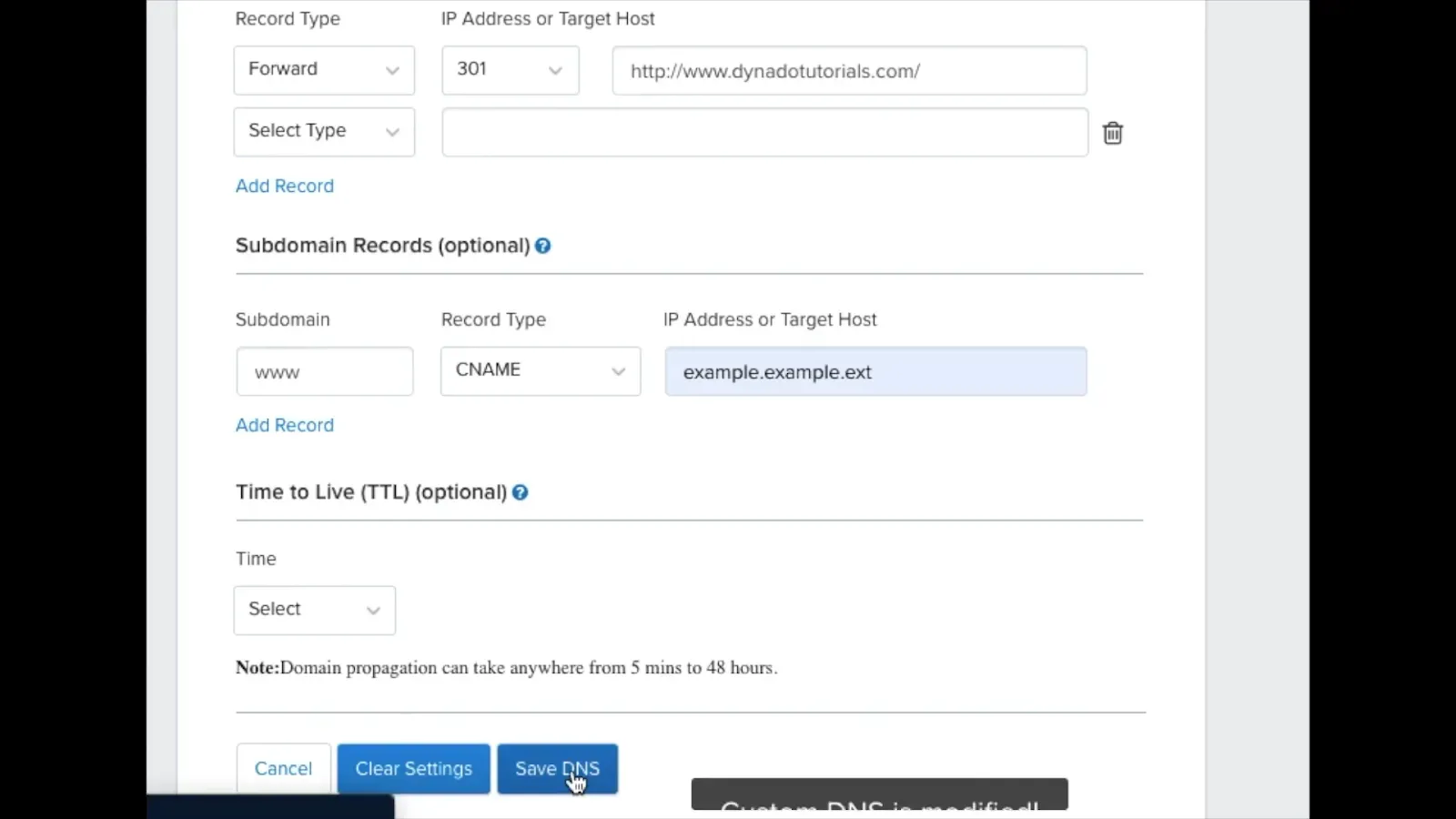
The Subdomain Records section with example.example.ext in the Target Host field, and Save DNS below it.