Add DNS records at Namesco
These are the steps for Namesco. For what the records do and how to check the setup afterwards, see Subdomain setup.
Datahash tells you which record type to use and gives you the values. Follow the matching section below and enter the values you were given.
Both record types start the same way in the names.co.uk control panel, so these screenshots cover either one.
Getting to the DNS records panel2 screenshots
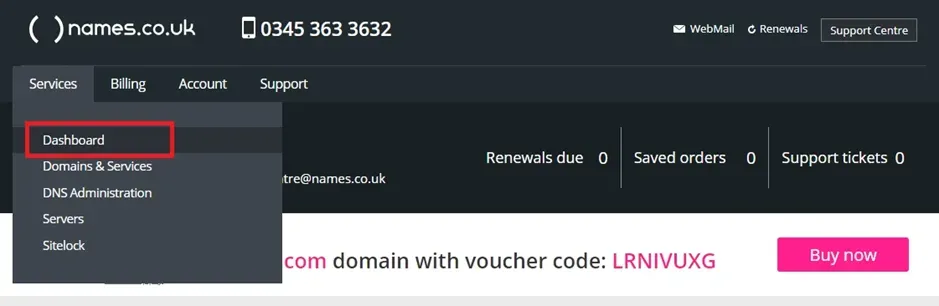
The Services menu open, with Dashboard boxed in red above Domains & Services and DNS Administration. 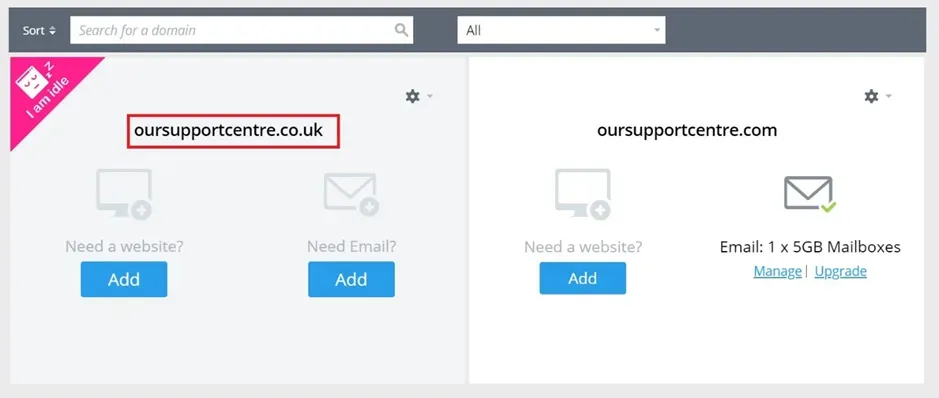
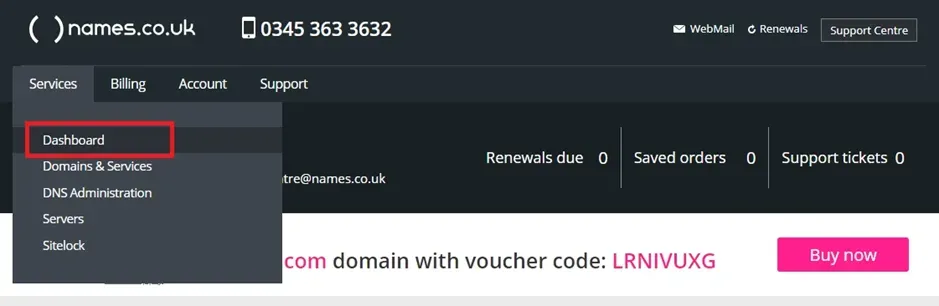
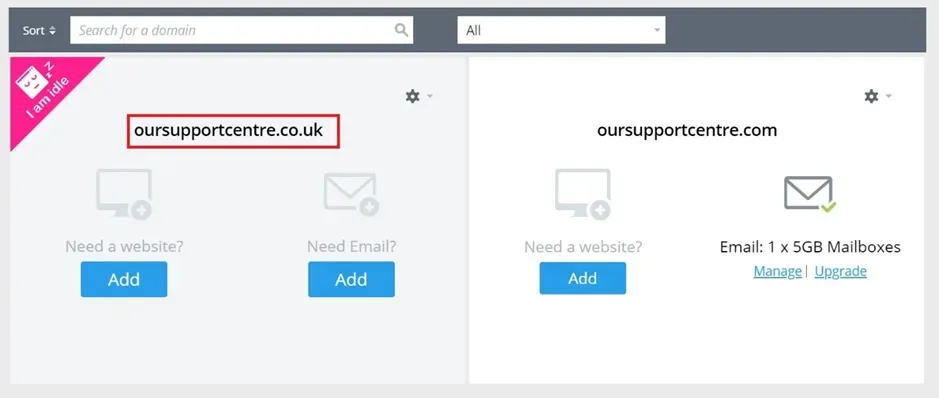
The Dashboard listing the two domain cards in the vendor's demo account, with the name of the domain to manage boxed in red.
Adding NS records
Section titled “Adding NS records”-
Sign in to your names.co.uk Online Control Panel.
-
Go to the Services tab and choose Dashboard.
-
Choose the domain from the list.
-
Scroll to the bottom of the page and choose Change Nameservers.
-
Enter the record name and one nameserver value.
You will have been given four nameserver values. Repeat the last two steps until all four records exist. A delegation with one of the four missing looks complete in the control panel and does not resolve.
NS record walkthrough2 screenshots
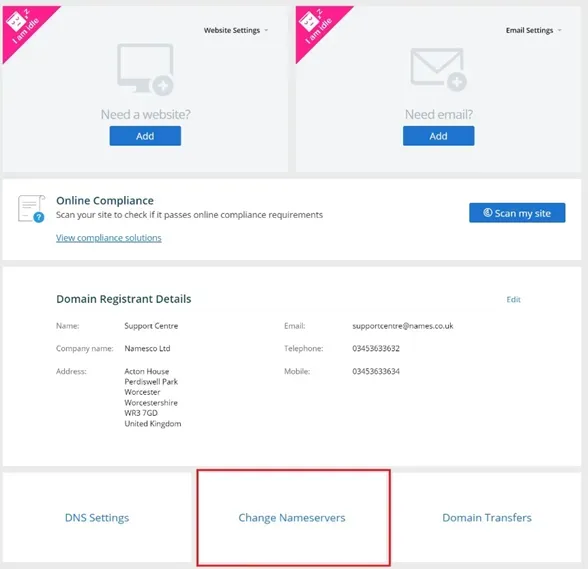
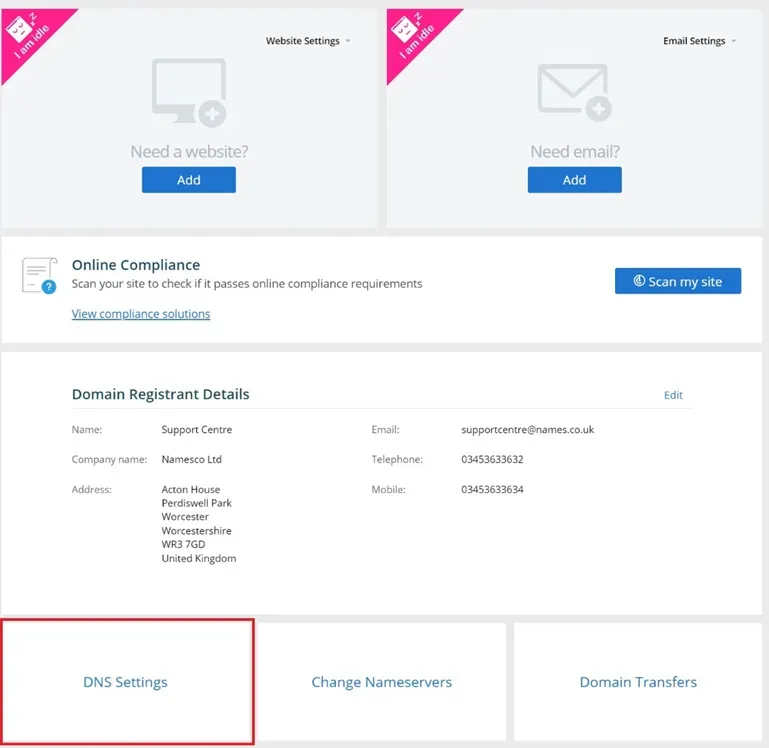
The bottom of the domain management page, with Change Nameservers boxed in red between DNS Settings and Domain Transfers. 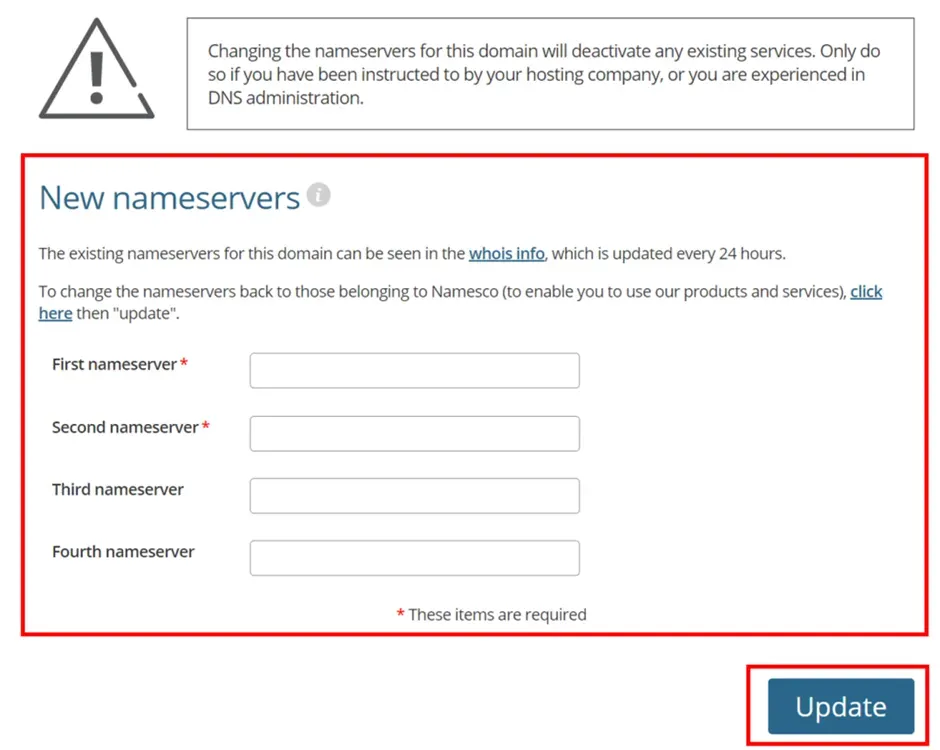
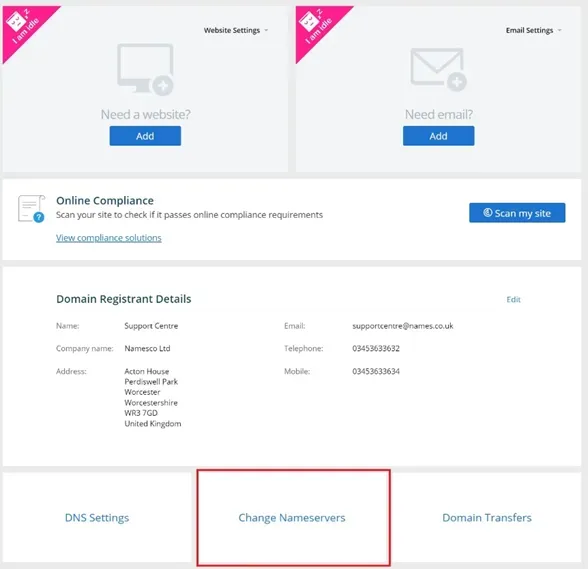
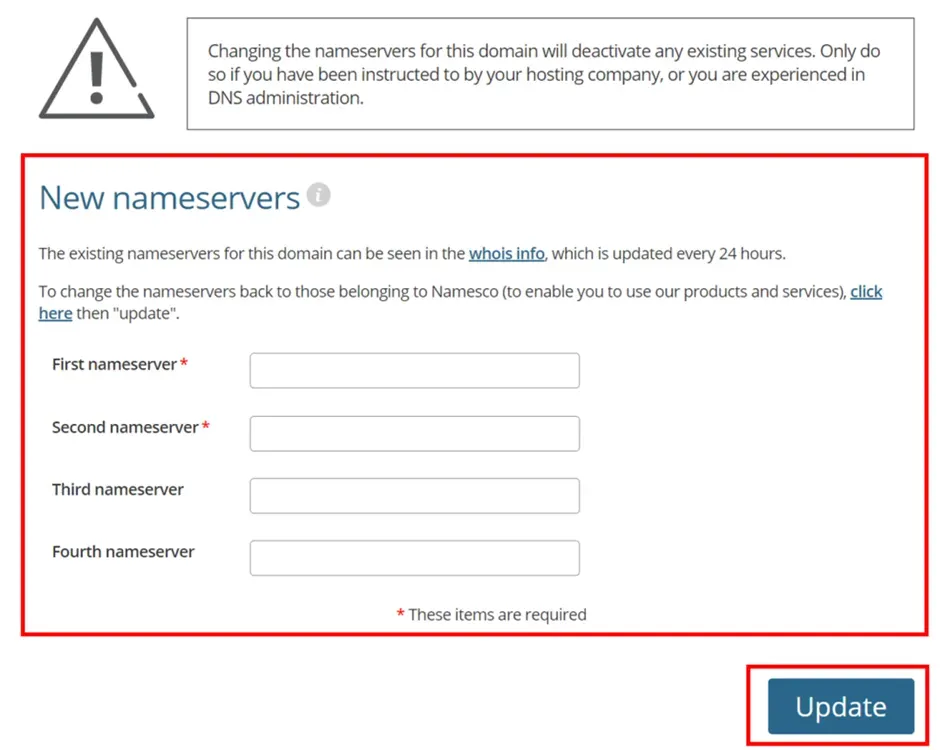
The New nameservers form boxed in red, with First and Second nameserver marked required, Third and Fourth optional, and Update boxed below, under the warning that changing nameservers deactivates existing services.
Adding a CNAME record
Section titled “Adding a CNAME record”-
Sign in to your names.co.uk Online Control Panel and go to Services, then Dashboard.
-
Choose the domain.
-
Scroll to the bottom and choose DNS Settings.
-
On the Add/Modify DNS zone page, choose CNAME as the type, paste the value you were given, and add the record.
CNAME record walkthrough3 screenshots
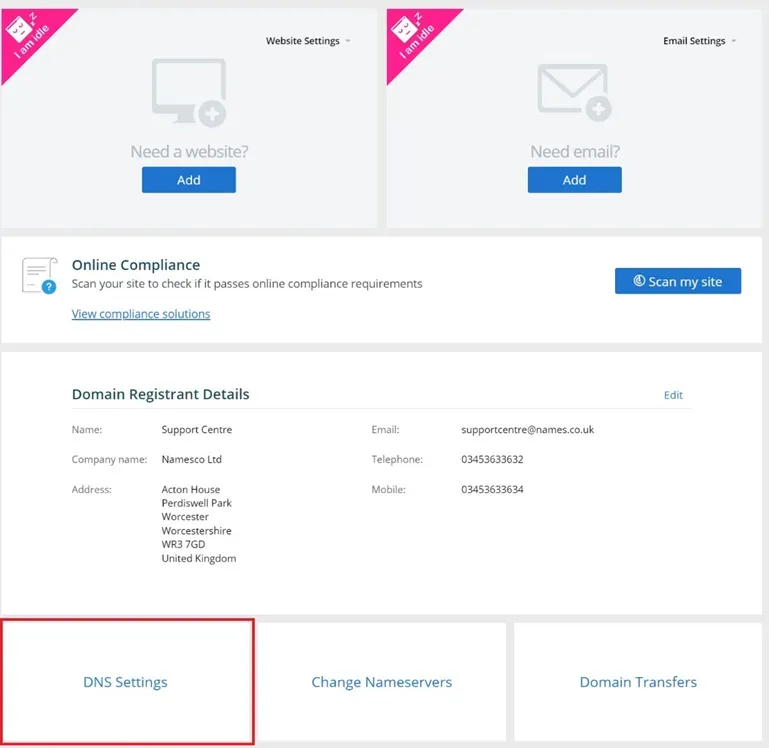
The same page, with DNS Settings boxed in red instead, the first of the three links at the bottom. 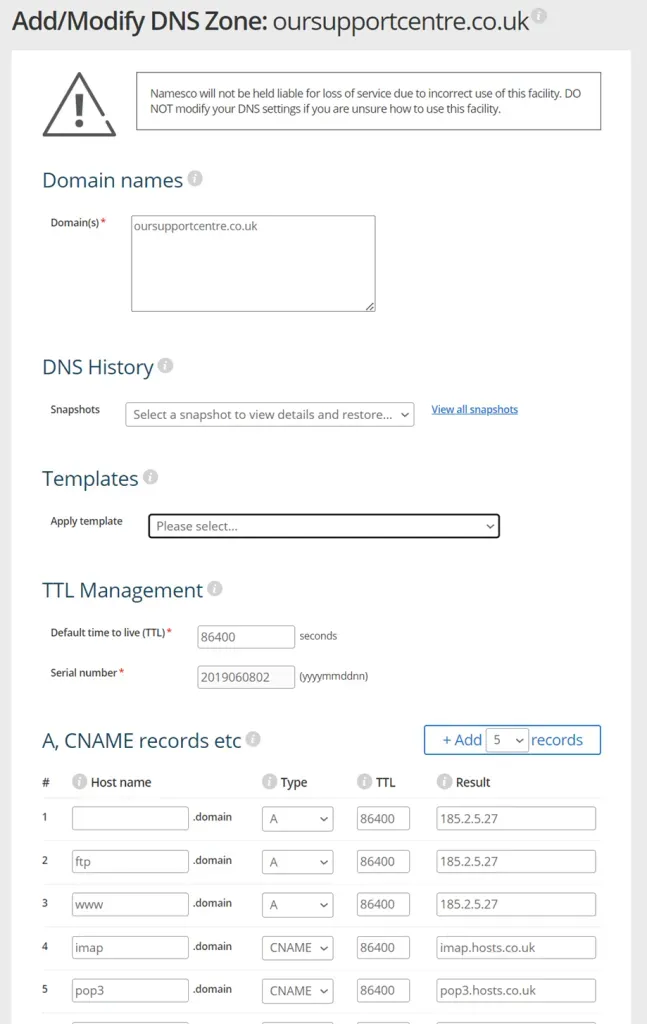
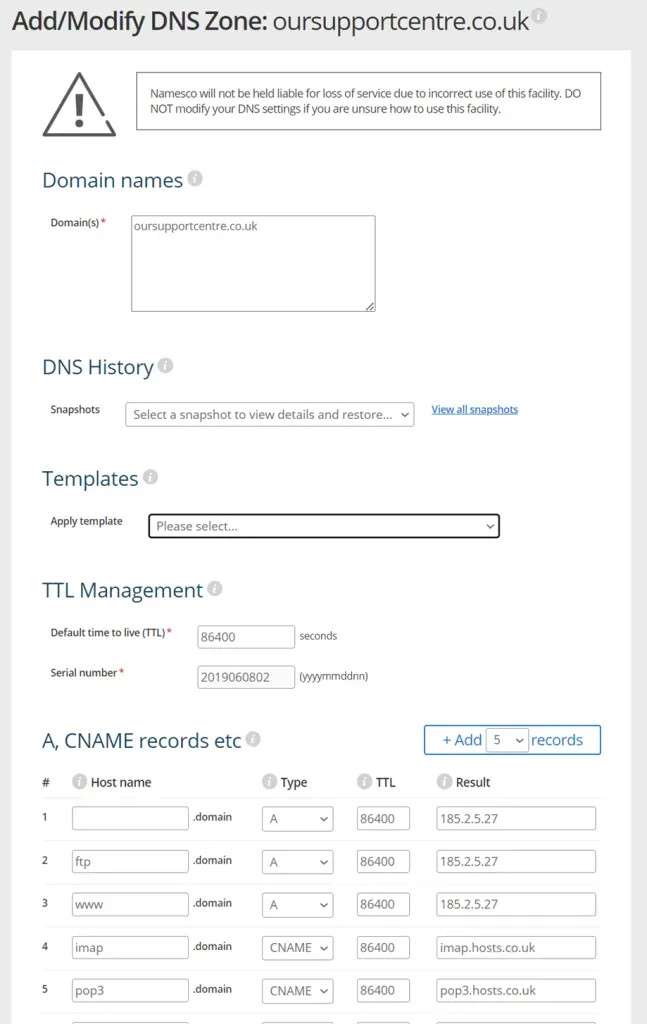
The Add/Modify DNS Zone page, with the Domain names, DNS History, Templates and TTL Management sections above the A, CNAME records etc table and its Add records control. 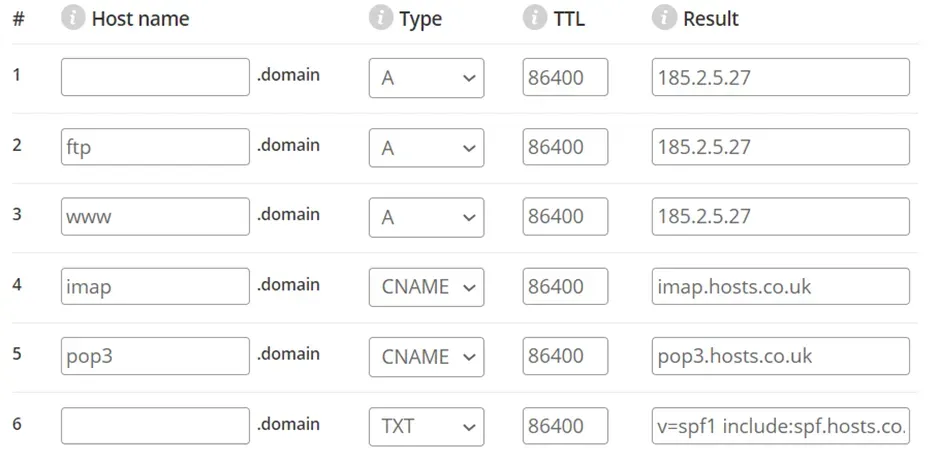
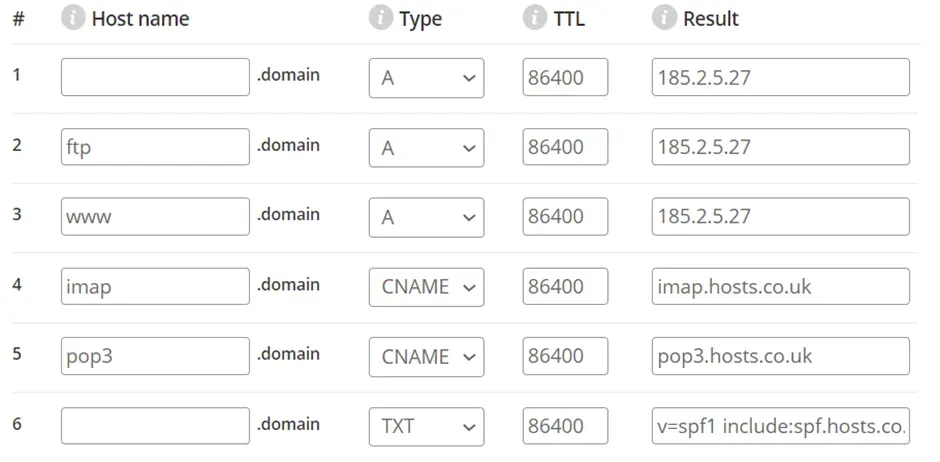
The A, CNAME records table further down the page, with three A rows, two CNAME rows and a TXT row, each carrying an 86400 TTL.